
For all existing positions in your portfolio, you can display the transactions entered so far. To do this, follow these steps:
-
Go to the "Portfolio" widget.
-
Open the corresponding portfolio from the drop-down list.
-

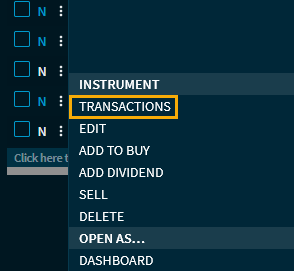
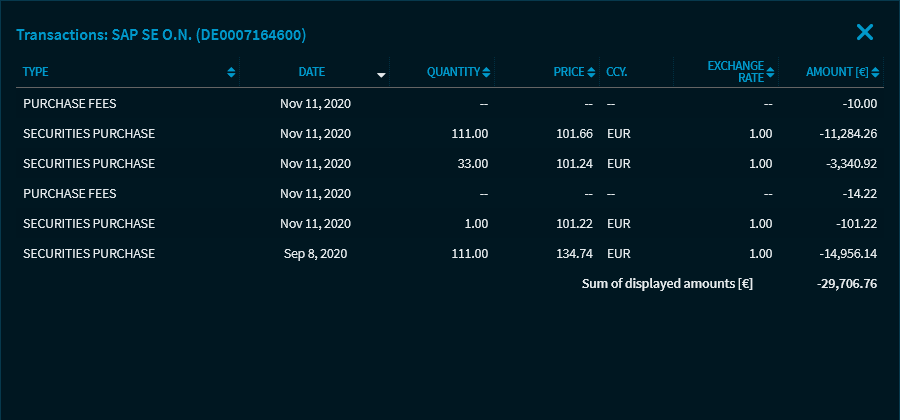
Now, the "Transactions" dialogue window lists all transactions of the selected position.
-
Use the close icon in the upper right corner to close the "Transactions" dialogue window.
The columns in the "Transactions" dialogue window in detail:
-
Type (for example, purchase of securities, sale of securities, dividends, buy and sale charges)
-
Date
-
Quantity
-
Price
-
Currency
-
Exchange rate
-
Amount
Click a column header to re-sort the list. Below the table, you can see the sum of the displayed amounts.