
To open a portfolio:
-
Go to the "Portfolio" widget.
-
If you have created several portfolios, switch to the relevant one by using the watchlist drop-down menu and select it.
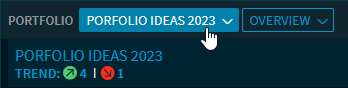
In the menu, you will find the 5 most recently opened portfolios for quick selection in the "Last" section at the top. In the "Folder" area, you can select (as in the Dashboard Explorer) the relevant portfolio from the folder structure.
The portfolio opens in the widget in the overview or in the previously selected view.