
You can import appropriately formatted CSV files (for example, portfolios previously exported in this format) as portfolios. When importing, you can decide whether you want to create a new portfolio based on the imported data or add the securities to an existing portfolio.
Import CSV file as new portfolio
To export a CSV file as a new portfolio:
-
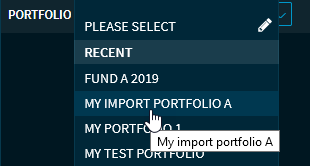
Go the "Portfolio" widget.
-

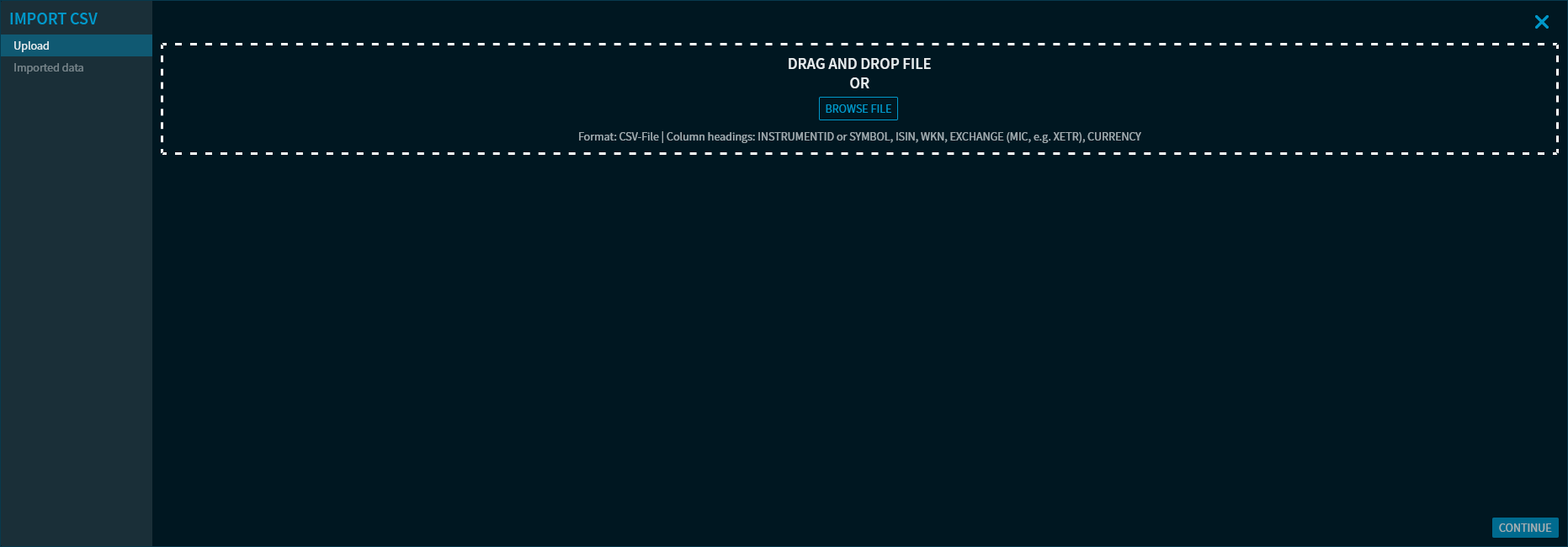
This opens the "Import CSV" dialogue window.
-
Select a CSV file by using the "Select file" button or drag and drop it into the "Drop file here" input field.
If there are securities with outdated prices in the securities to be imported, then you can - analogous to the function in the general search - also import the securities ignored by default during the import without a current price via the checkbox "Include securities without first price or with outdated prices".
Information appears in the dialogue window after the successful upload has been completed.
-
Then click the now enabled "Continue" button.
The uploaded data is displayed in the dialogue window.
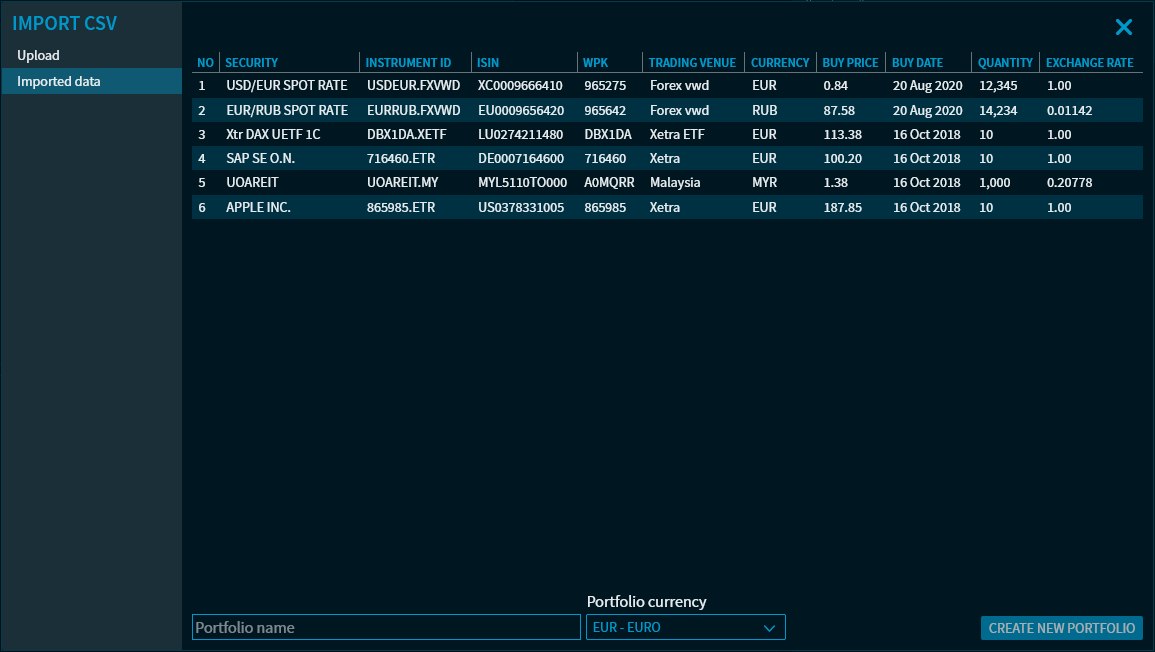
By default, the import into a new portfolio is now suggested, therefore the "New portfolio" checkbox is selected. Enter a name for the new portfolio in the "Portfolio name" input field and select a different portfolio currency if necessary. Click the "Create new portfolio" button.
This closes the "Import CSV" dialogue window and a message appears. The portfolio is created using the name specified and can now be selected.
The following column headings are work for the import:
-
BUY CURRENCY
Alternatives: Buy currency | Kaufwährung | Currency | Währung
Important: If both "Buy currency" and "Currency" exist in the CSV file, then "Buy currency" applies.
-
WKN (or other fields to identify the instruments analogous to the import of watchlists)
-
QUANTITY
Alternatives: Anzahl | Quantity | Stück/Nominal
-
BUY DATE
Alternatives: Buy date | Kaufdatum | letztes Kaufdatum
-
BUY PRICE
Alternatives: Buy price [Buy currency] | Kaufkurs [Kaufwährung] | Durchschnittl. Purchase price -
EXCHANGE RATE
Alternatives: Exchange rate | Umrechnungskurs | FX rate buy | Wechselkurs Kauf | Durchschnittl. Foreign exchange rate -
NOTE
Alternative: Note
Add CSV file to existing portfolio
To add a CSV file to an existing portfolio:
-
Open a "Portfolio" widget with the portfolio to be expanded.
-
Proceed in the same way as described above (steps 2-4).
-
Then clear the "New portfolio" checkbox when displaying the imported data and select the now visible "Add to portfolio" button.
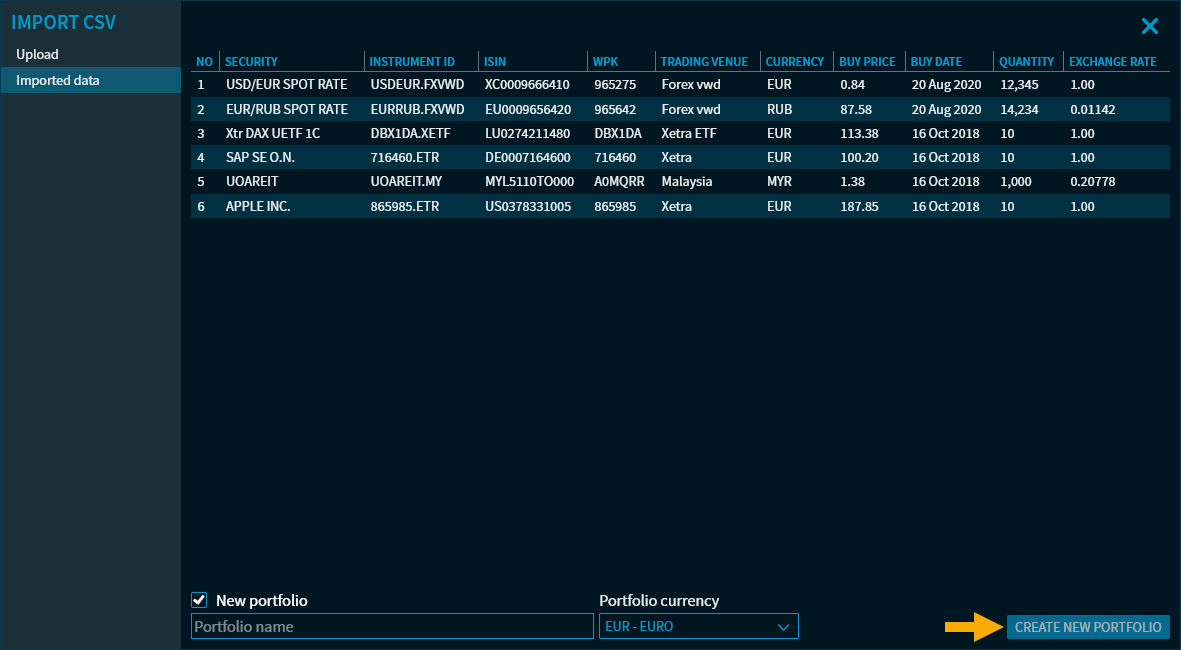
This closes the "Import CSV" dialogue window and the positions are added to the currently open portfolio.