
This widget shows all indices that include the selected security. In addition, you can view the results as a Correlation Matrix or in smaller tiles.
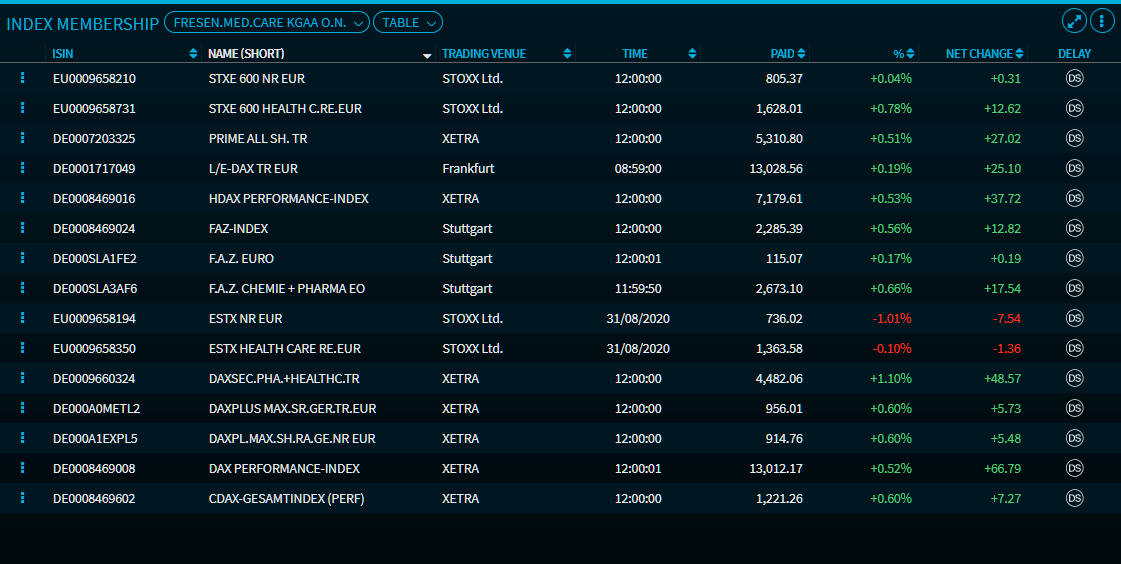
The table is sorted by the "Name (short)" column in descending order by default.
The symbols in the "Delay" column indicate whether the data is displayed in real time or is delayed.
-
RT: Real-time (real-time push)
-
RS: Real-time snap (real-time snap)
-
DL: Delayed (delayed push)
-
DS: Delayed snap
Point to the symbols to view the delay in minutes.

Unlike in the "Correlation Matrix" widget, the "Correlation Matrix" view calculates the correlation of the indices.