
The Screener provides alternative ways to search and filter for securities in Infront Investment Manager.

To start the screener, select "Screener" from the main menu that you open by clicking the menu icon on the top left.
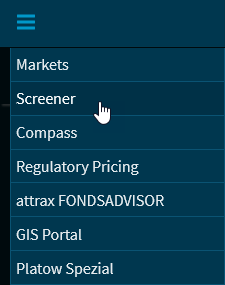
The Screener allows you to create search and filter screens that you can configure according to your needs. You can open the so-called "screens" directly from the start page of the Screener.
-
Screener start page -
Open screens -
Standard elements in screens -
Filter screens -
Save screens -
Save screens as copy with another name -
Screen settings -
Mark screens as favourites -
Show results in Screener -
Open short portraits from results list -
Export instruments from Screener to Excel -
Add instruments from Screener to existing watchlist -
Create instruments from Screener as new watchlist -
Add instruments from Screener to existing portfolio -
Create instruments from Screener as new portfolio -
Fund Screener -
Certificate Screener -
Bond Screener -
Share Screener -
Leverage Screener -
CDS Screener -
Issuer Screener -
Delete screens -
Future Screener