
With this widget, you can view the vwd pages in Infront Investment Manager to quickly and easily navigate through the content universe. vwd pages are optimised for content requirements and offer comprehensive and also well-structured financial information. Each vwd page has its own page number that is unique across all products and applications.
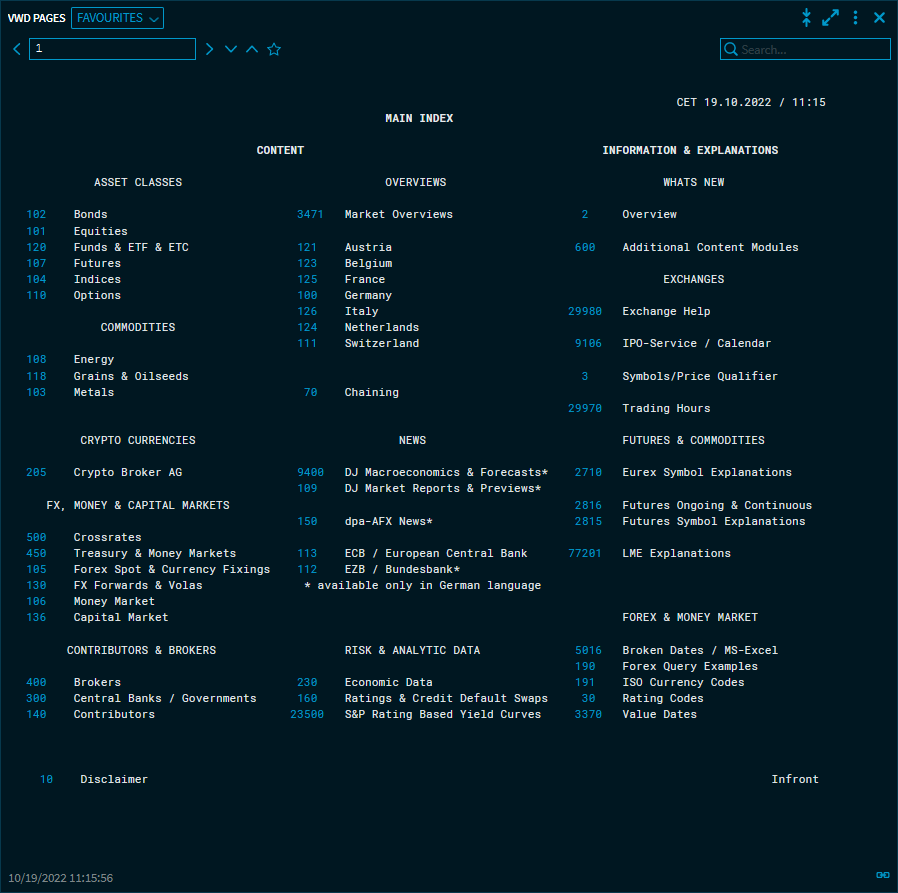
-
Navigation in the "vwd Pages" widget -
Add vwd pages to favourites -
Selection of favourite vwd pages -
Context menu of securities on vwd pages -
Export vwd pages to Excel (DAXL) -
Add instruments from vwd page to existing watchlist -
Copy of Create instruments from Screener as new watchlist -
Add securities from vwd page to existing portfolio -
Create securities from vwd page as a new portfolio -
Compact view of vwd pages