
You can always rename the portfolios.
To do this, follow these steps:
-
Go the "Portfolio" widget.
-
Open the portfolio drop-down list in the upper right corner of the widget.
-
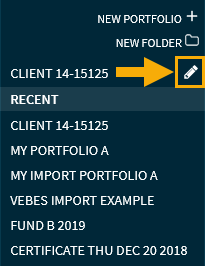
Click the "Edit portfolio" icon next to the folder name of the portfolio that is currently open to start the editing mode.
-
Then, in the list of recently opened portfolios, click the "Edit portfolio" icon for your current portfolio again (or select another portfolio to edit, if necessary).
-
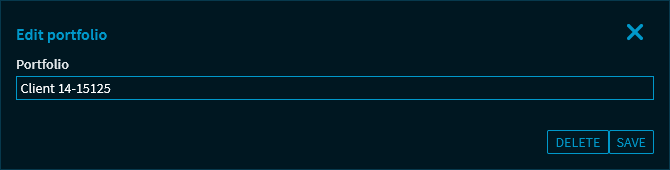
In the "Edit portfolio" dialogue window that appears, change the name in the "Portfolio" field.
-
Confirm the changes with the "Save" button.
The changes in the name of the portfolio are saved and displayed in the widget.