
You can copy positions of a portfolio with all transaction data to another portfolio. When transferring positions, they are removed from the original portfolio.
To do this, follow these steps:
-
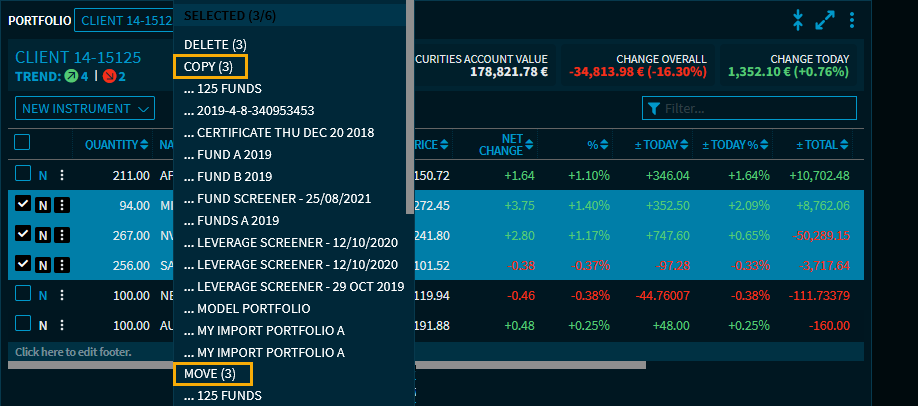
In the "Portfolio" widget, select the positions that you want to transfer.
-
Open the "Selected" drop-down list.
-
From the menu, select the positions you want to copy or move. In brackets, you see the number of positions to be copied or moved.
The positions are transferred and are now available (also) in the other portfolio. You can then change the position for this individual position.