Type
Comparison indicator
Description
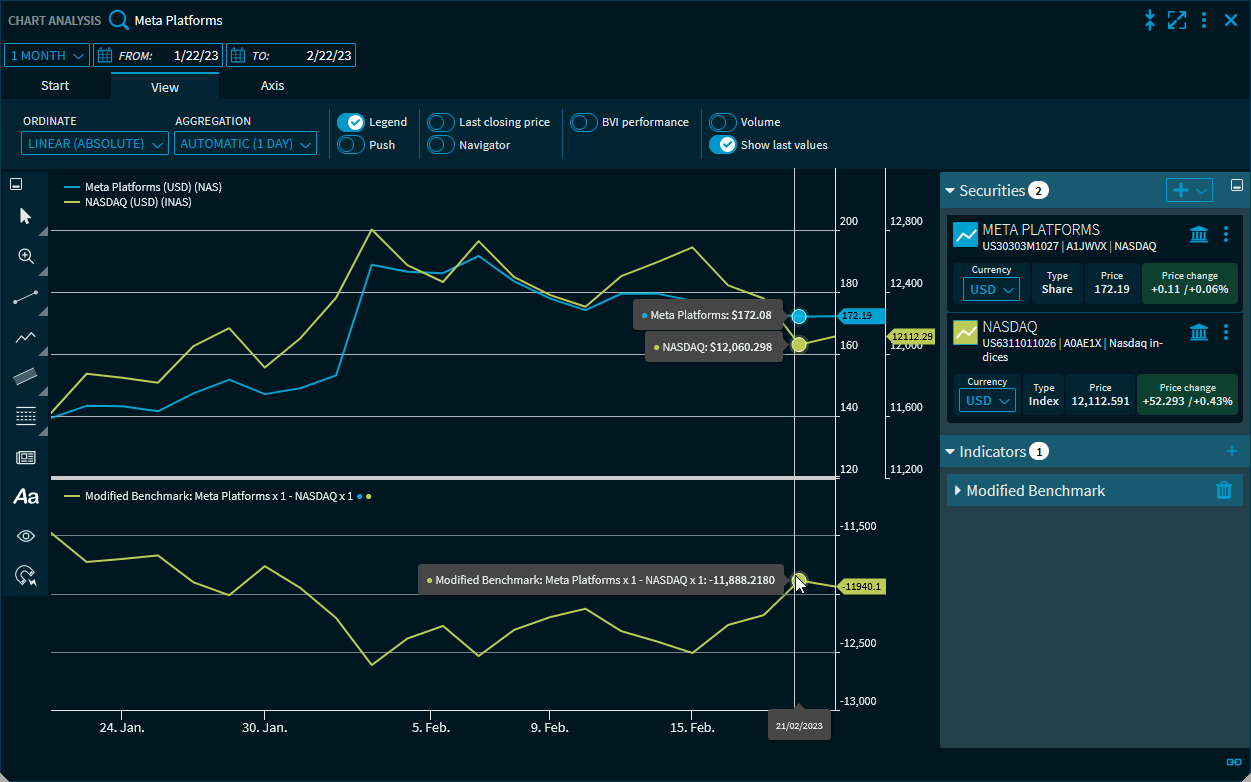
The "Modified Benchmark" indicator is a special case. This custom indicator allows you to mathematically calculate two time series into a new price trend as a reference value. For two time series in the chart, a factor for the weighting in the new benchmark and the price type can be defined in the parameters. Use the "Operator" parameter to select the link type of the time series.
Parameter
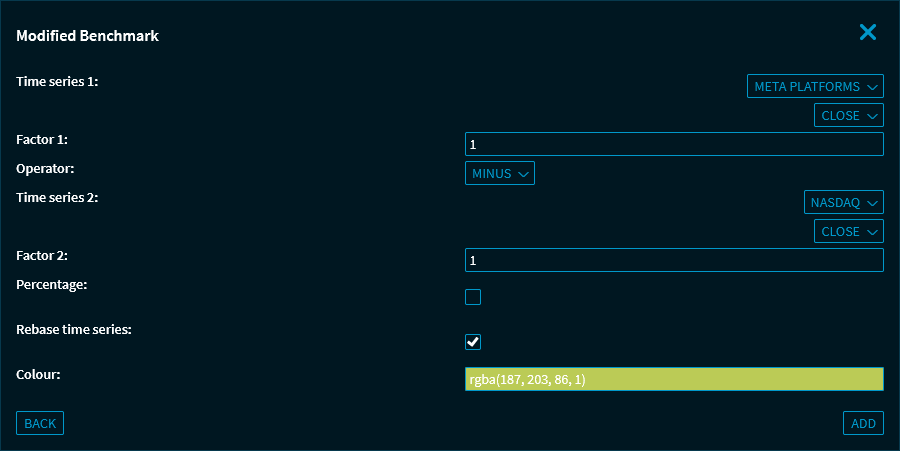
The following parameters are available:
|
Parameter |
Description |
|---|---|
|
Time series 1 |
Select the corresponding time series from the drop-down list. |
|
"Price type" drop-down list for time series 1 |
Select the relevant price type for the time series 1 from this drop-down list. The following price types are available:
|
|
Factor 1 |
Enter weighting factor for time series 1 here. With the default setting 1, all time series are weighted equally. |
|
Operator drop-down list |
Select the relevant operator for linking the time series in the drop-down list. The following operators are available:
|
|
Time series 2 |
Select the corresponding time series from the drop-down list. |
|
"Price type" drop-down list for time series 2
|
Select the relevant price type for the time series 2 from this drop-down list. The following price types are available:
|
|
Factor 2 |
Enter weighting factor for time series 2 here. With the default setting 1, all time series are weighted equally. |
|
Percentage |
Select this checkbox to show percentage display. |
|
Normalise time series |
[Selected by default] If, for example, shares or indices are combined that differ greatly in value or points, the relative percentage display becomes problematic. Therefore, use this setting to rebase the time series to the start date of the chart period for a meaningful benchmark. Clear this checkbox if you do not want to normalise the time series. |
|
Colour |
Select the colour for the chart line of the indicator here. |