
To configure the ticker tape:
-
Point to the right end of the ticker tape.
-
Click on the menu icon that appears on the ticker tape.
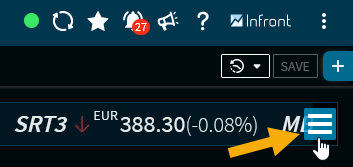
-
Select the "Settings" command from the context menu of the ticker tape menu icon
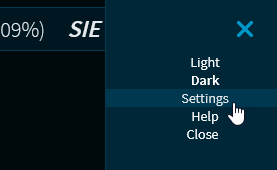
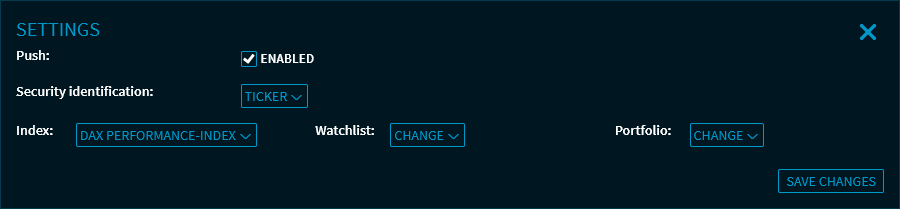
The "Settings" dialogue window opens.
-
Click the "Save changes" button to close the "Settings" dialogue window and update the ticker tape.
You can specify the following settings:
The menu also allows you to close the ticker tape and select the theme: "Dark" or "Light". For more information, see Select theme.
Use the "Help" command in the context menu to open the "Ticker" page of your online help in the Help Center (in a new browser tab).