
In the "Performance" view, the securities of a watchlist are analysed in terms of their performance. The table structure corresponds to the "Overview" view.
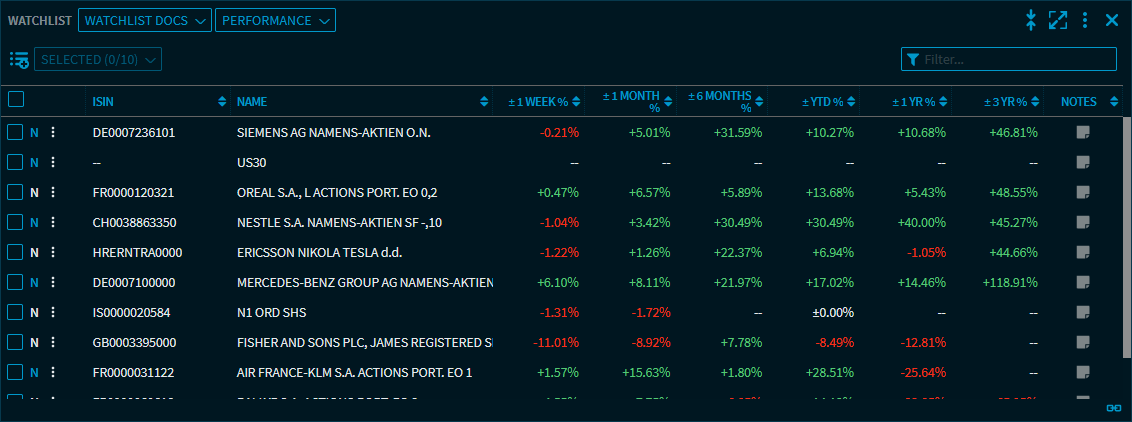
The following columns are available in the "Performance" view:
|
Element |
Description |
|---|---|
|
Columns |
You can show or hide the columns of the "Performance" view in the settings that you open with the widget menu icon. In detail:
For more information, see Settings in the "Watchlist" widget. As in other tables, you can re-sort the "Performance" view by clicking a column header.
|