
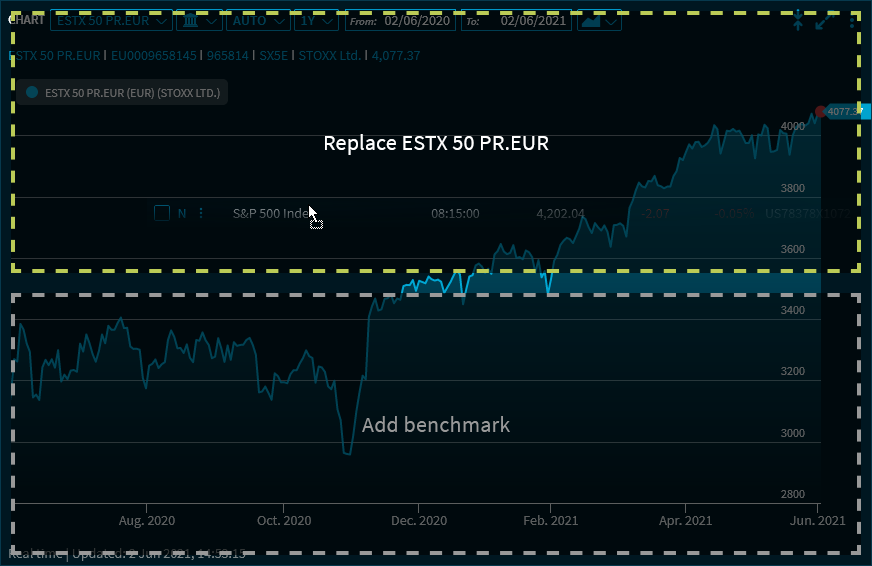
When you drag a security from another chart, for example from a watchlist, and drop it to the "Chart" widget, you have two options:
-
To replace the security in the chart, drag the new security to the top area of the chart window.
-
To use the new security as a comparison value or benchmark, drag it to the lower area of the chart window. With the corresponding permission, you can display up to 3 different benchmarks in one chart. Already specified benchmarks might be replaced.
-
You can remove displayed benchmarks from the legend: Point to the legend entry you want to remove. This displays a remove icon behind it, which you can use to quickly remove this chart line.