
Use the "Trading venues" drop-down list in the general settings of the Warrant Matrix in the upper part of the widget to define the matrix. You can select from the following settings:
|
Filters |
Description |
|---|---|
|
Top |
Default setting Show only the top trading venues for the underlying. |
|
All |
Show all important trading venues for the underlying, thus displaying a complete arbitrage list in the upper area. For more information, see Arbitrage. |
|
None |
Hide the upper area of the Warrant Matrix. |
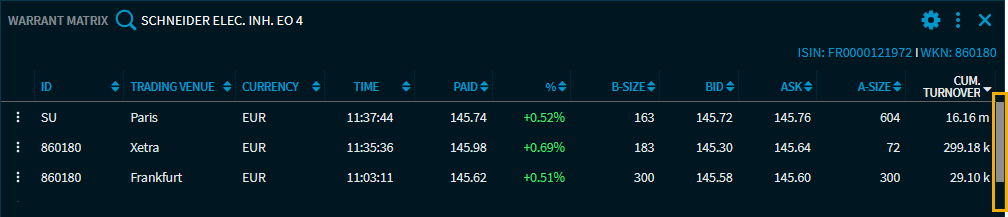
If many trading venues are available and displayed for an underlying, use the sorting options via the column headings or the scroll bar on the right to display them.