

Use the "Widget settings" icon to open the "Settings" dialogue window for configuring the widget.
Alternatively, you can use the "Settings" command in the widget menu.
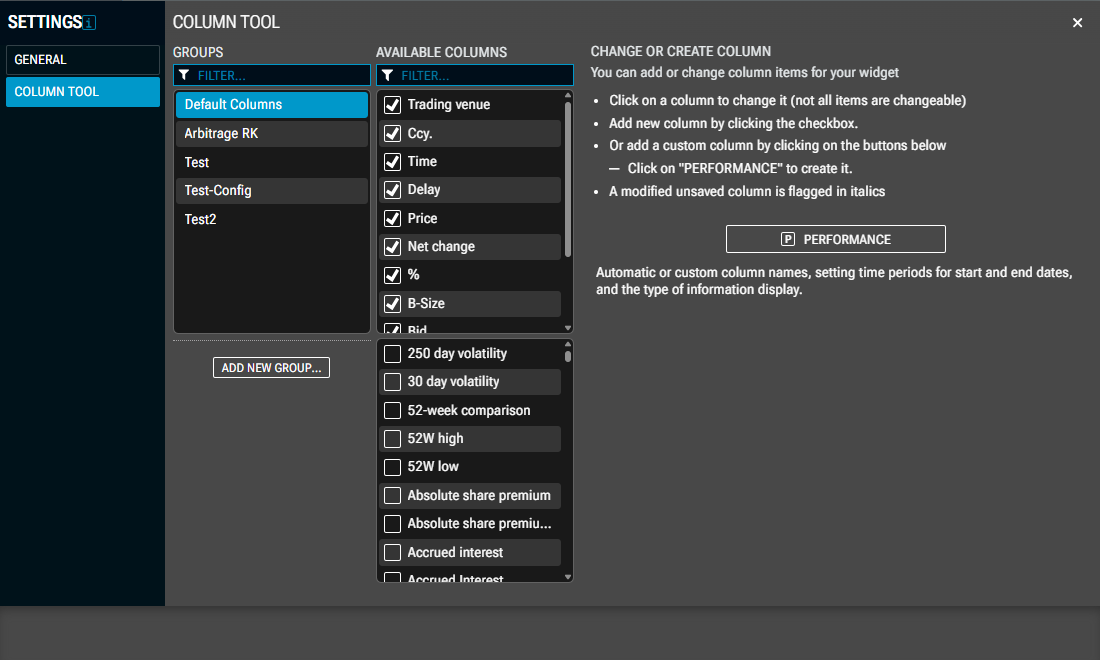
In the "Arbitrage settings" dialogue window, you can first select the area on the left side for which you want to configure your settings:
"General" area
In the "General" area, you can make the following settings:
-
Enable or disable the push data feed
-
Set sorting interval
Select the time interval (between 5 and 60 seconds) for updating the sorting of the arbitrage table. With the "Disabled" setting (default), you can switch off the update.
“Column Tool" area
Use the Column Tool to customise the columns in the “Arbitrage” widget.
If necessary, please refer to the section on the Column Tool.