
In addition to the yield curve view, the "Yield Curves" widget also offers the spread analysis. To do this, select the 2 yield curves to be compared in the spread selection lists on the right-hand side of the widget.
In the chart, the yield curves and the spread are graphically presented.
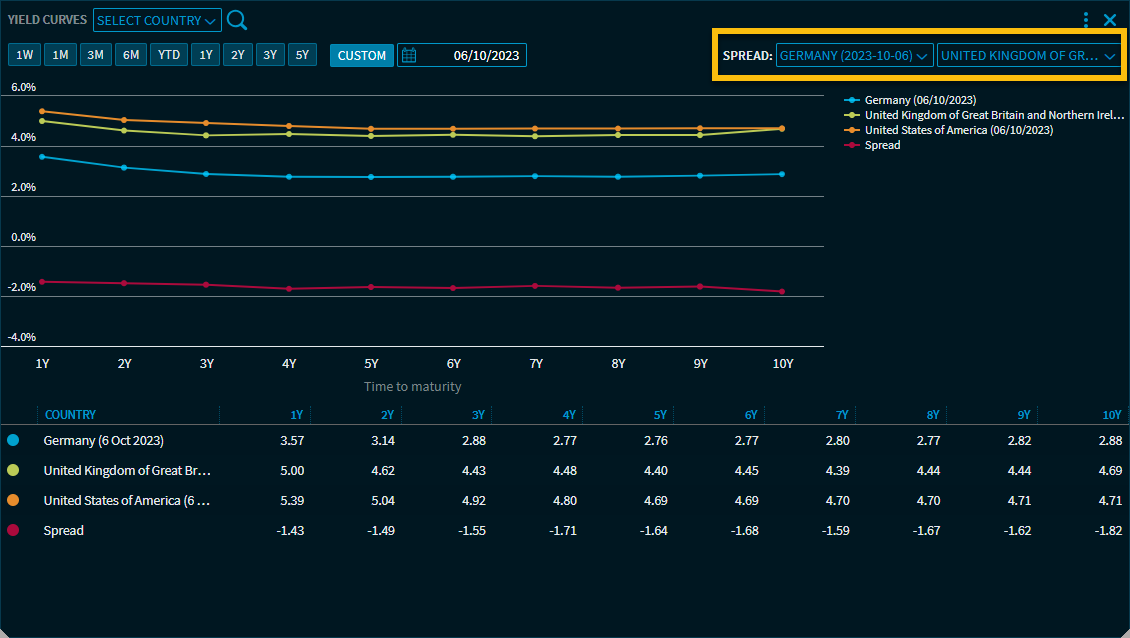
In the legend table below the chart, you see the corresponding values for 1 to 10 yields and the corresponding selected spread. When you point to a value in the table, it is also highlighted in the chart and vice versa.