
In the "Investment Calculator" widget at the top, select the "Fund initial amount" scenario and then select the fund or ETF at the bottom in the first "Security" drop-down list using the integrated quick search. Enter your data here. The calculation in this scenario allows you to analyse a lump sum investment in an ETF/fund based on the historical fund performance. This is compared against a lump sum investment with a fixed interest rate.
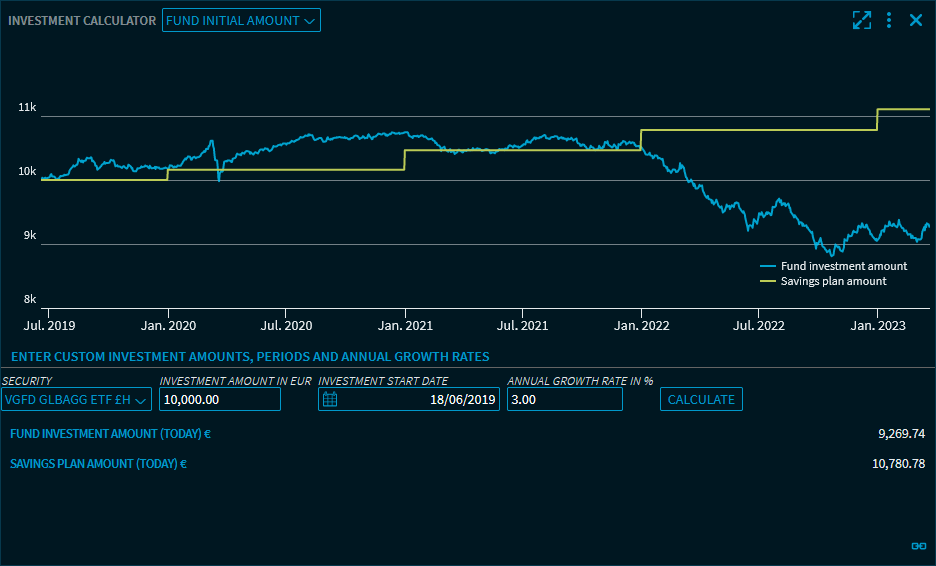
In the "Fund initial amount" scenario, you can specify the following data:
-
Security (limited to ETFs and funds)
-
Investment amount in euro (10,000 euro is set be default)
-
Start date of the investment
You can change this start date using the integrated calendar or by directly entering a date. -
Annual growth rate in % (3% is set by default)
Click the "Calculate" button to start the calculation of the lump sum investment. The following values are calculated and shown in the results:
-
Current value of the fund investment in euro
-
Current value of the savings plan
In the chart, you see the performance of the fund investment and savings plan over time.