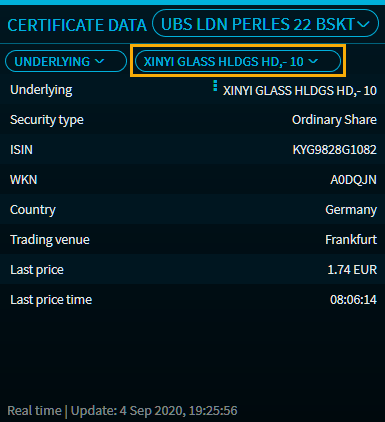
The following is shown when you select the "Underlying" category:
|
Characteristic |
Description |
|---|---|
|
Underlying |
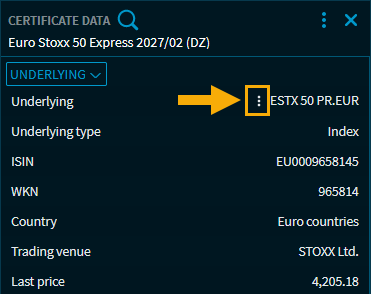
The underlying of the derivative. With the menu icon in front of the underlying, you open a context menu allowing you to, for example, open the underlying value as Full Quote or Chart: |
|
Underlying type |
The security type of the underlying, for example "Index" or "Preferred share". |
|
ISIN |
The ISIN of the underlying. |
|
WKN |
The German security identification number of the underlying. |
|
Country |
The country of the underlying. |
|
Trading venue |
The trading venue of the underlying. |
|
Price |
The most current price of the underlying. |
|
Last price time
|
The time of the most recent price of the underlying. |
|
Daily high |
The trading daily high of the underlying. Point to the price to display the price time of the day's high. |
|
Daily low |
The trading daily low of the underlying. Point to the price to display the price time of the daily low. |
|
Performance index
|
If the underlying is an index, you will find the information here whether it is a performance or a price index. |
Certificates with multiple underlyings
If a certificate with several underlyings is open in the widget, an additional drop-down list for selecting the relevant underlying value appears in the upper part of the widget: