
Full Holdings: Widget optimized (Improvement – IM-15164)
In the “Full Holdings” widget, you can view the holdings contained in the selected fund. The display has been adapted – for example, in terms of push notifications, sorting or pagination – to match the “Index Members” widget.
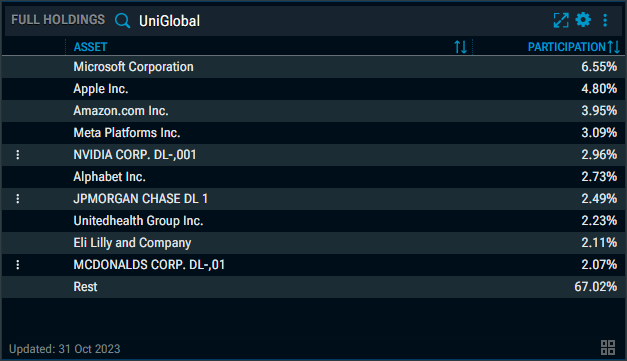
In the widget settings, you now also have access to the new “Table Tool” for configuring the columns in the widget. If necessary, please refer to the section Arbitrage, Watchlist, Full Holdings: New Column configurator (Improvement – IM-15378).
Assetmax Portfolio: New "Heatmap" view (Improvement – IM-15164)
The popular “Heatmap” view is now also available in the “Assetmax Portfolio” widget.
Arbitrage, Watchlist, Full Holdings: New Column configurator (Improvement – IM-15378)
In the “Arbitrage”, “Watchlist” and “Full Holdings” widgets, the configuration of the columns to be displayed has been optimised. All fields are now available directly in the widget settings via the new “Column Tool” and no longer need to be added via drag-and-drop from the “All Fields” widget. The performance and free-text columns are now also available in the same view.
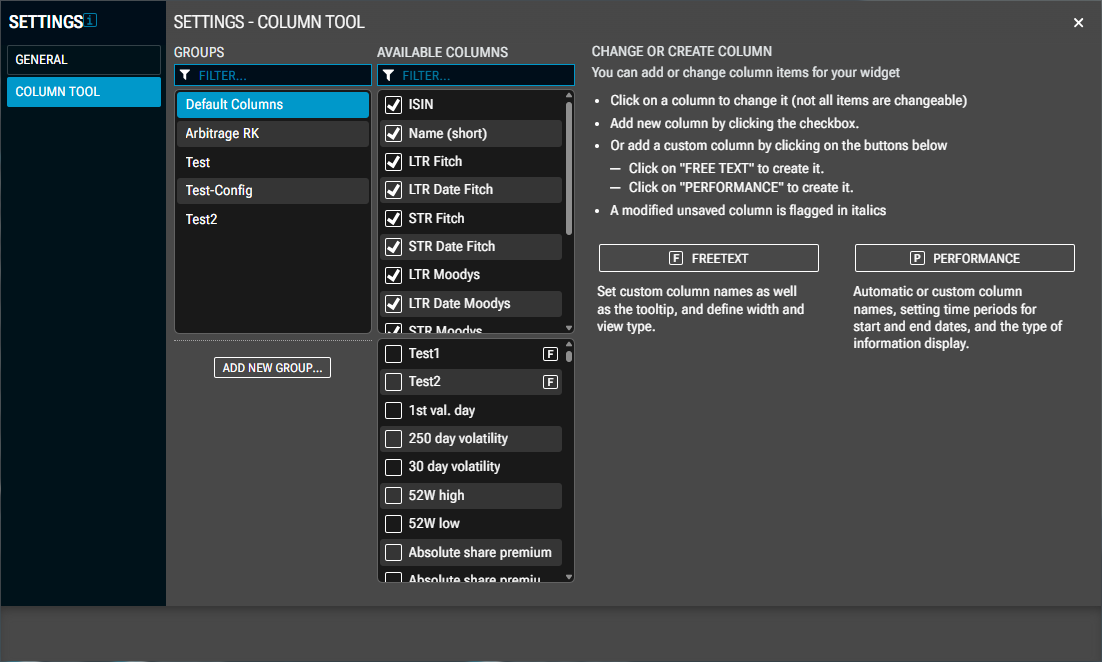
In the column tool, you can add, hide or edit columns.
-
Click on a column to edit it. Please note that not all columns can be edited.
-
Add a new column by ticking the relevant tick box in the list of columns.
-
Alternatively, add a custom column by clicking on the buttons below.
-
Click the “Performance” button to create this column.
-
Click the “Freetext” button to create this column.
-
-
A column that has been edited but not yet saved is highlighted in italics.
-
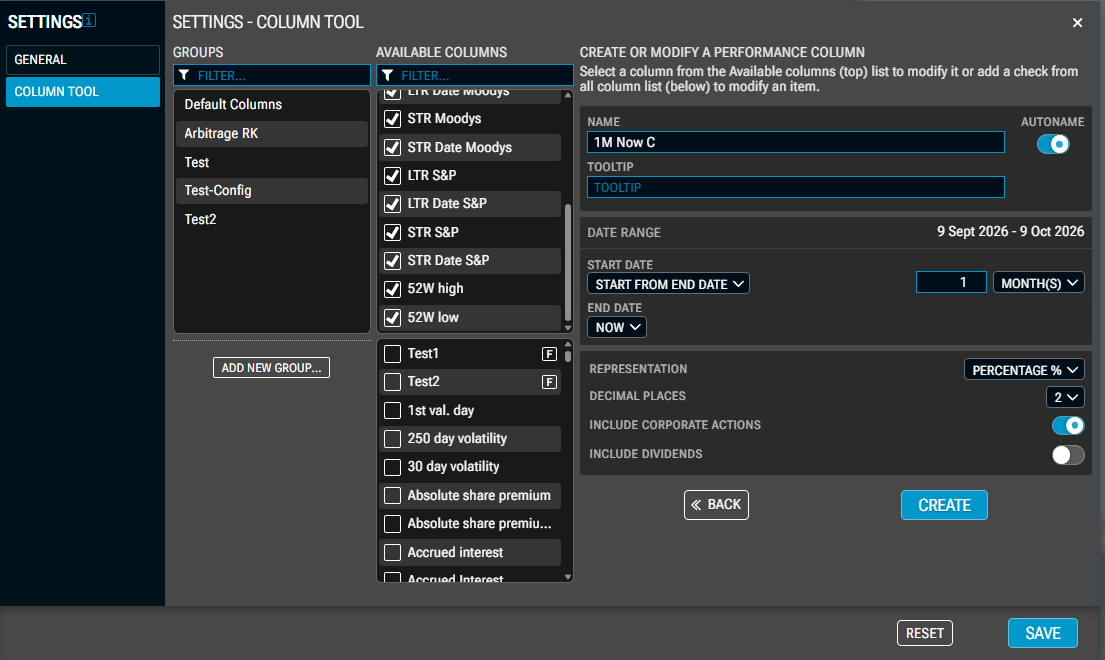
Automatic or custom column names, setting time periods for start and end dates, and the way information is displayed.
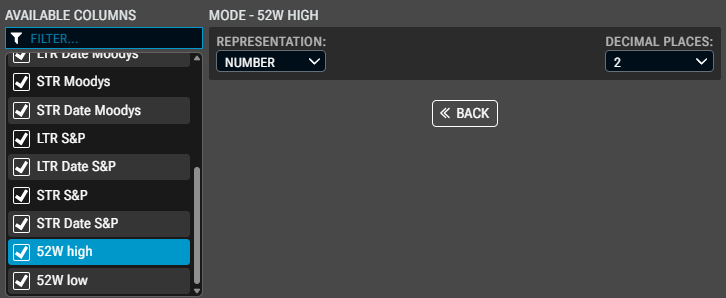
Edit columns:
Creating performance columns:
Creating freetext columns:
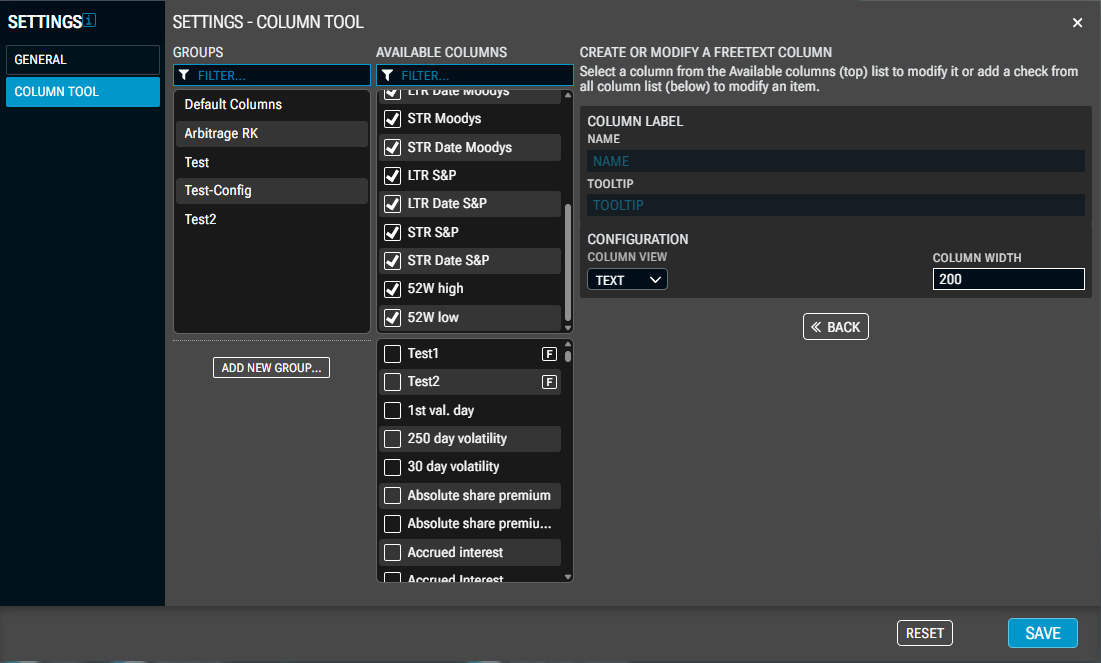
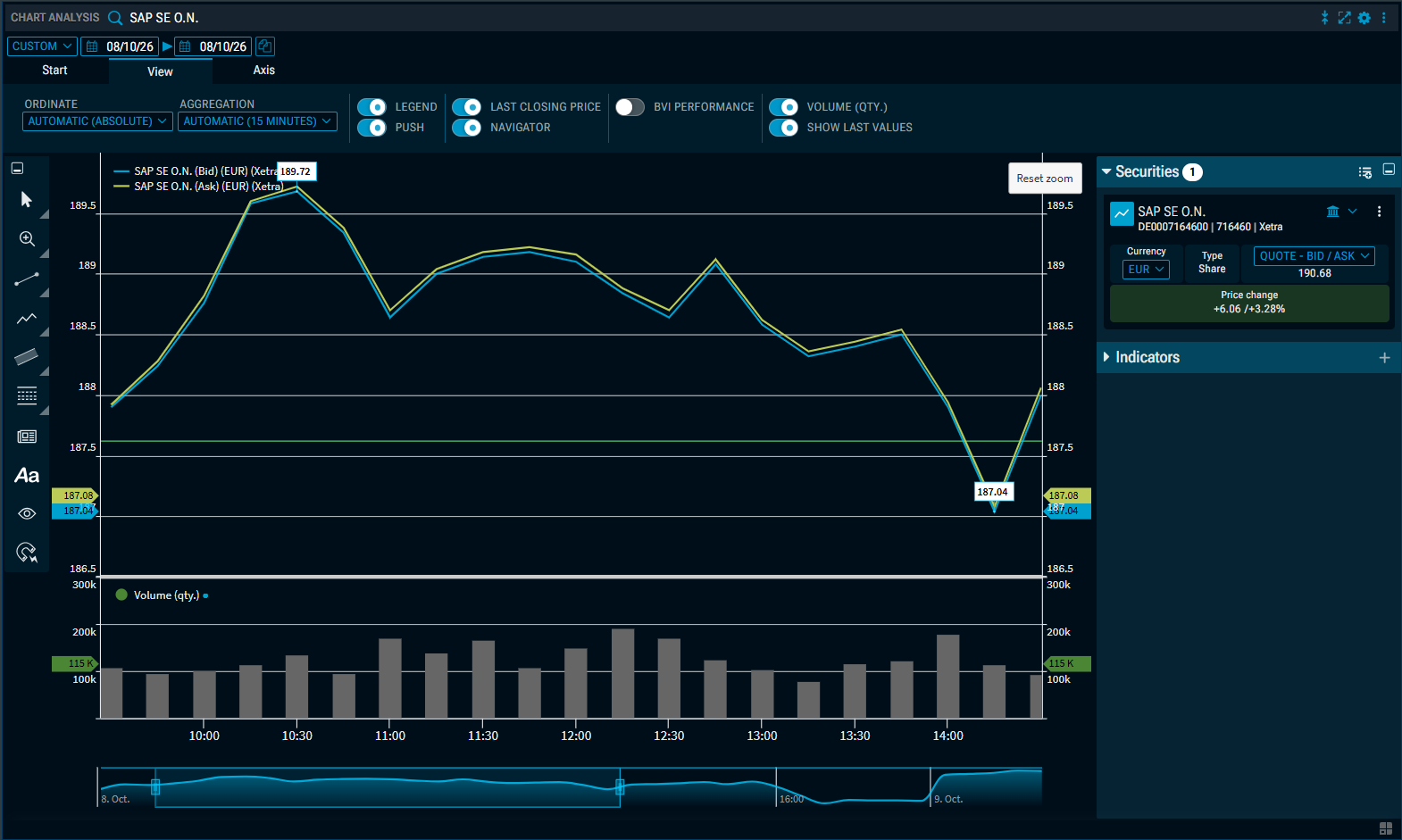
Chart Analysis: High/Low price display for Bid/Ask quotes (Improvement – IM-15368)
The bid-ask charts can now also display the highest and lowest prices.
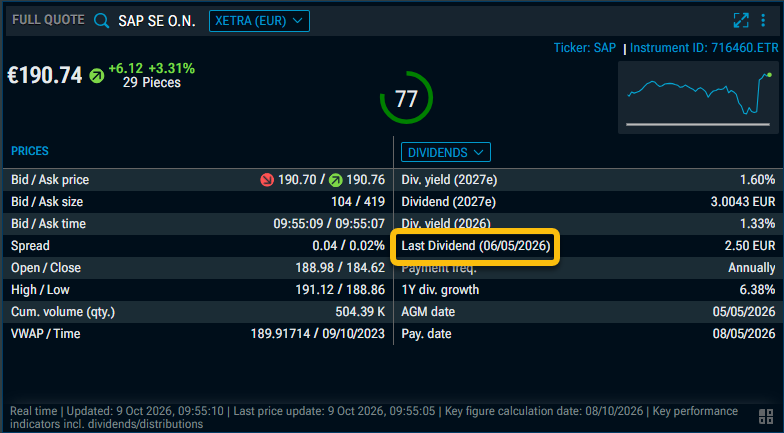
Full Quote: Label updated in the “Dividends” section (Improvement – IM-15292)
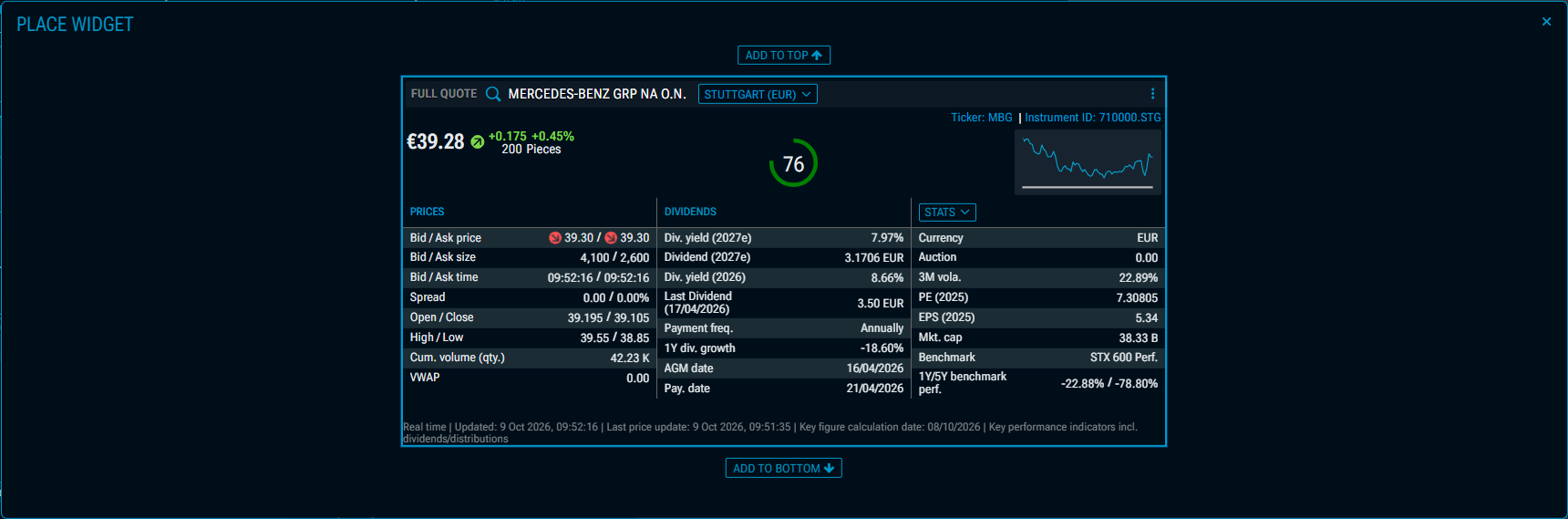
In the “Full Quote” widget, the label for the most recent dividend has been updated.
Focus Tile, Performance Tile: Drag and drop of securities (Improvement – IM-15344)
The drag-and-drop function for securities from the “Focus Tile” and “Performance Tile” widgets into other widgets has been revised, as it was previously not possible in some dashboards.
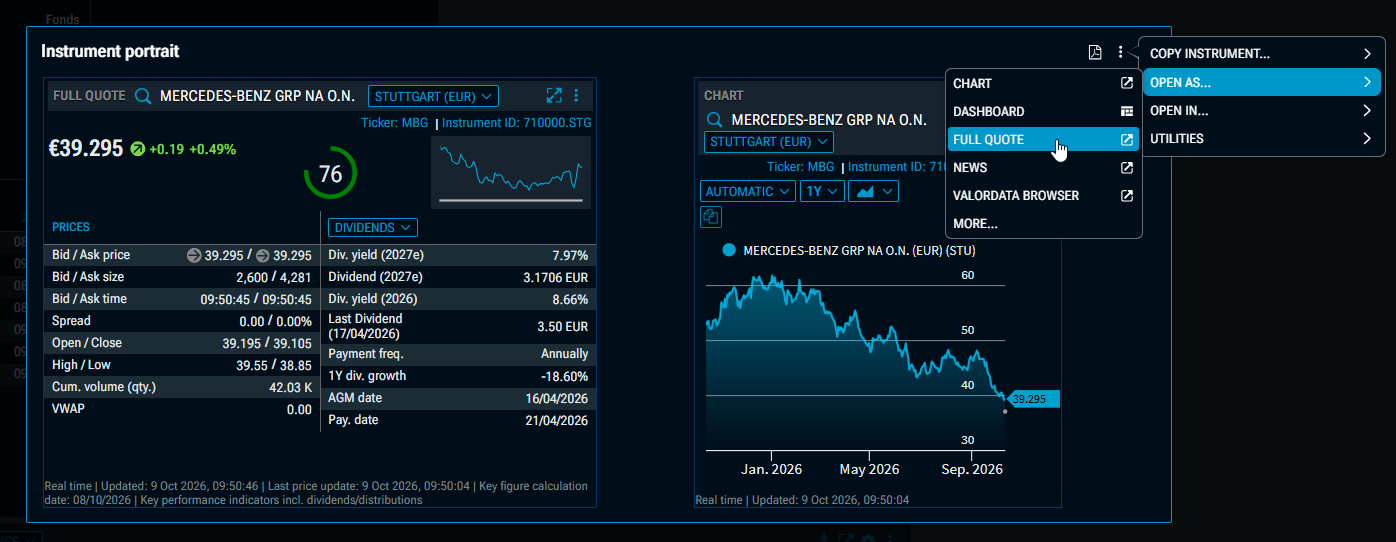
Instrument Portrait, Widget Gallery: Open new widget in the foreground (Improvement – IM-15387)
Previously, if you opened another widget from the Instrument Portrait or the Widget Gallery via the context menu using the ‘OPEN AS…’ command, it would initially be obscured by the open Instrument Portrait or Widget Gallery.
Now, in such cases, the Instrument Portrait or Widget Gallery is automatically closed, so that the new widget is visible in the foreground and ready to be positioned.
Portfolio: All types of securities (Improvement – IM-15343)
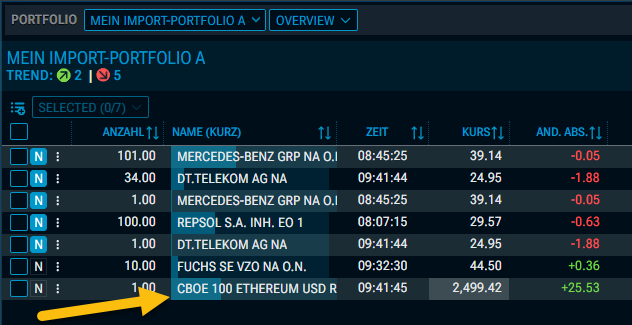
In the “Portfolio” widget, you can now add all types of securities to your portfolios, including indices.
Example: Portfolio with index "CBOE 100 ETHEREUM USD" ("ETH100RP.CBOEX")
Macroeconomic Calendar: “Importance” column optimised (Improvement – IM-15378)
The “Importance” column in the “Macroeconomic Calendar” widget has been revised. The design of the symbols has been brought into line with that in the “theScreener Company Analysis” widget.
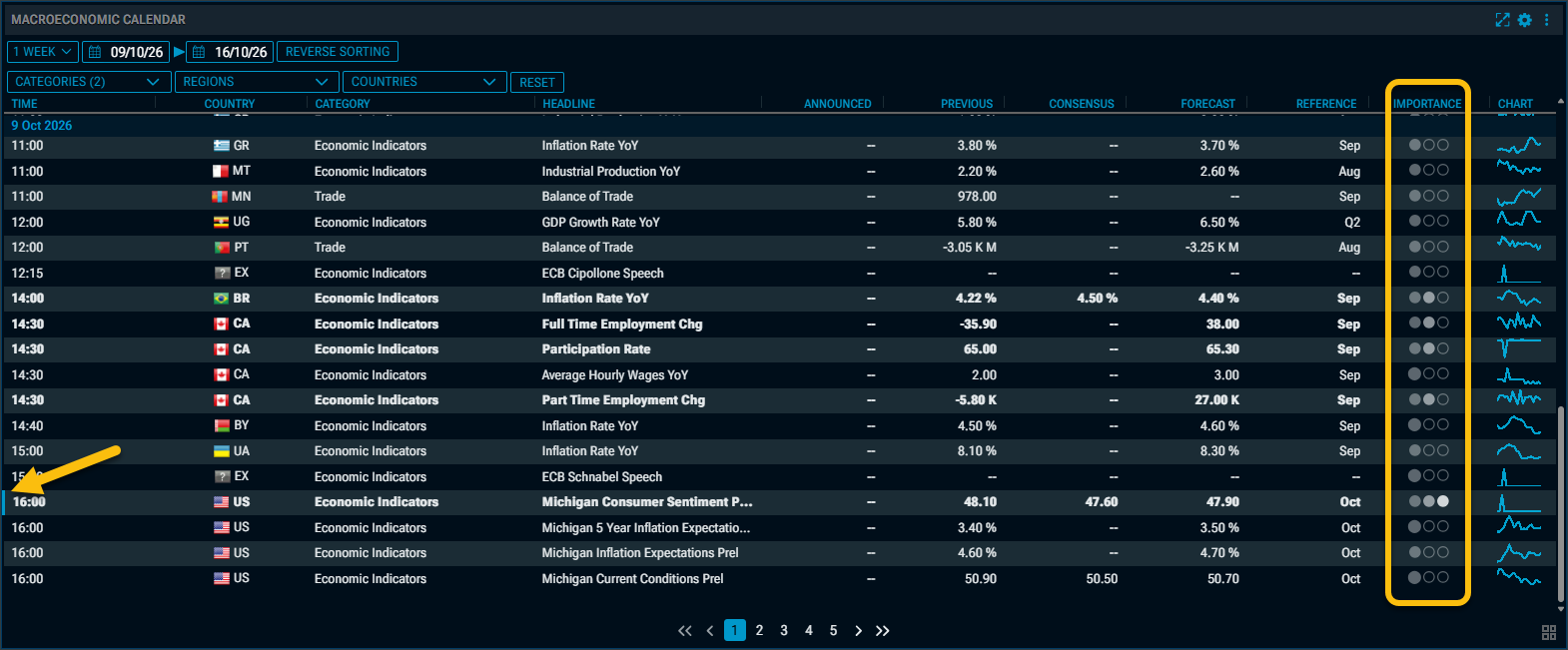
The lines are also highlighted differently depending on their importance:
-
1 = Normal
-
2 = Bold typeface
-
3 = Bold typeface & coloured stripe on the far left of the row