
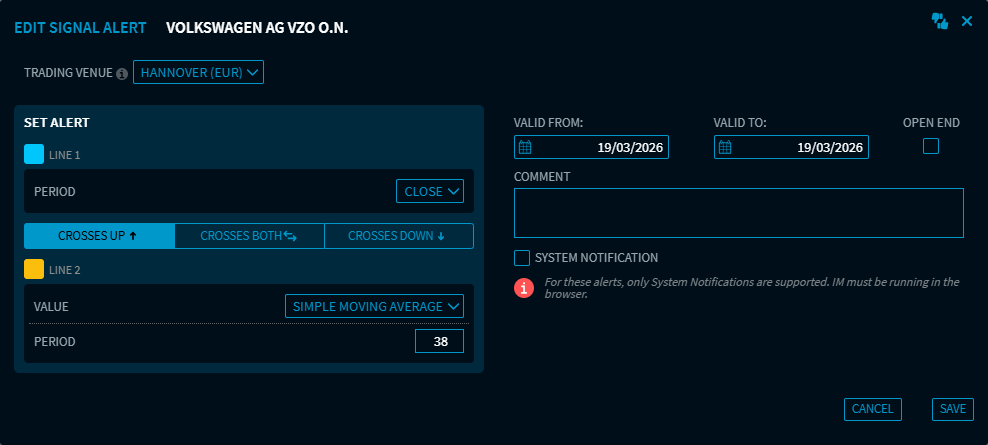
Alerts: User interface optimised for signal alerts (Improvement – IM-14612)
The user interface for creating and editing signal alerts has been optimised.
Assetmax Portfolio: Add dividends (Improvement – IM-14521)
Provided you have the necessary authorisation, you can now add a dividend to a security.
Assetmax Portfolio: Buying and selling (Improvement – IM-14802)
In the “Assetmax Portfolio” widget, you can now buy or sell instruments in the same way as in the “Portfolio” widget.
Assetmax Portfolio, Wealth Portal: Show news (Improvement – IM-14805)
In the “Assetmax Portfolio” and “Wealth Portal” widgets, you can now view news about a particular instrument.
The corresponding “N” icon is the same as those in the “Watchlist” and “Portfolio” widgets. It is active when there is new news and inactive when there is not.
Chart Analysis: Hide the underlying (Bug fix – IM-14858)
In the “Chart Analysis” widget, users can hide the underlying asset of a security – which is displayed by default – by clicking the three-dot icon. However, after reloading Infront Investment Manager, the underlying asset reappears. This issue has been resolved.
In addition, a further improvement has been introduced: if users do not have permission to access the underlying data of an underlying asset, this data will now be hidden in the chart. This was already the case in the “Chart” widget, but now also applies to the “Chart Analysis” widget.
Dashboards: Add more widgets (Improvement)
This release introduces new beta display features designed to support working with bigger screens and display more data:
-
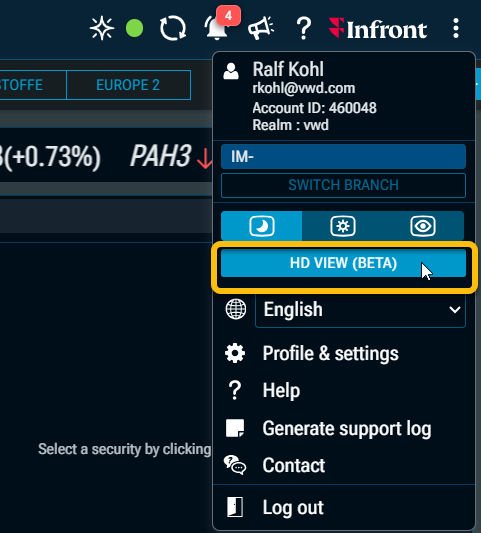
In the settings menu, which you can open via the icon on the right-hand side of the title bar, you will now find a button to switch to the HD view with an adjusted font size.
-
In the dashboard properties, you can increase the number of columns from the default setting of “12” to “18”. This allows you to add more widgets across the width.
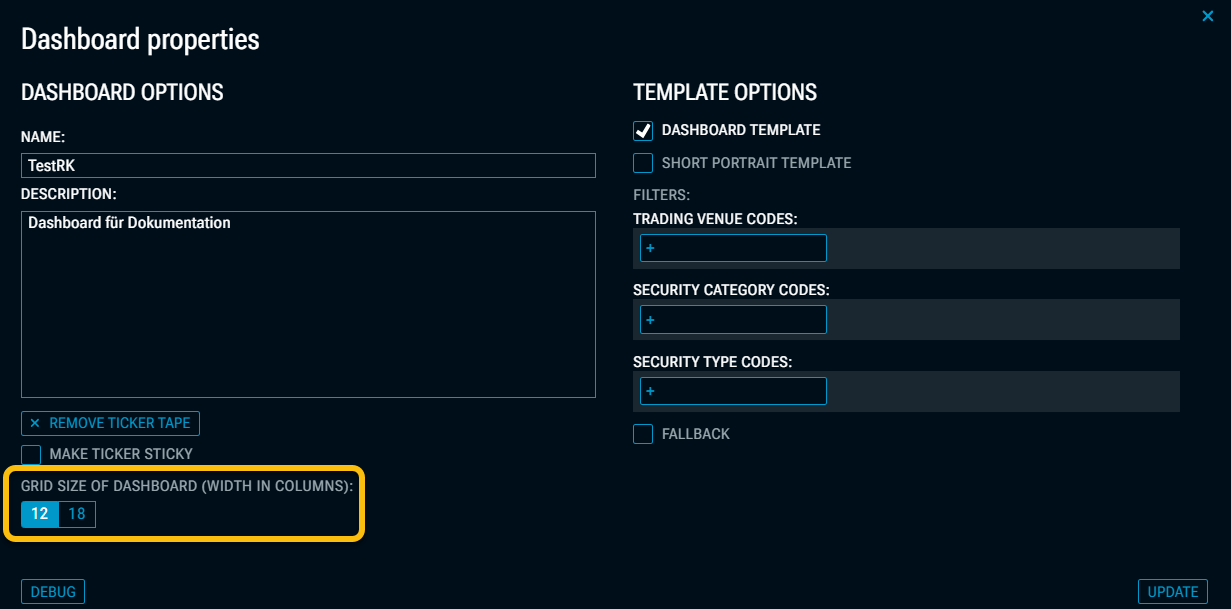
Please note that this setting may change the layout of the widgets on your dashboard. A confirmation prompt will appear before the change is made.
These are beta versions, so there may still be a few side effects in the display.
IM App (Chrome): Search in widgets fixed (Bug fix – IM-14703)
In the mobile version of Google Chrome, the search function in widgets (magnifying glass icon) was faulty. The search window would open briefly and then disappear again. This made it impossible to search for instruments in widgets.
Watchlist: Optimised editable footer (Improvement – IM-14832)
The footer in the “Watchlist” widget has been redesigned. It is now more compact, as an unnecessary line has been removed.

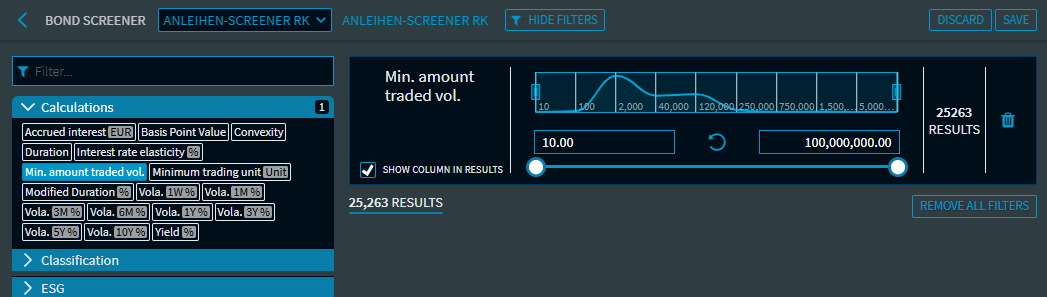
Screener: New “Minimum amount traded volume” filter in the Bond Screener (Improvement – IM-11944)
In the Bond Screener, the new “Minimum amount traded volume” filter is now available in the “Calculations” filter section.
Screener: New “Settlement type” filter in the Certificate Screener (Improvement – IM-14752)
The new ‘Settlement type’ filter is now available in the “General” filter section of the various certificate screeners.
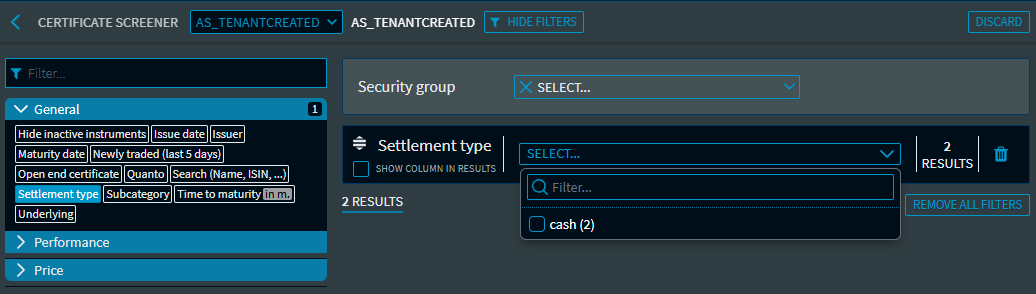
Possible manifestations:
-
cash
-
physical
-
both
-
Not available
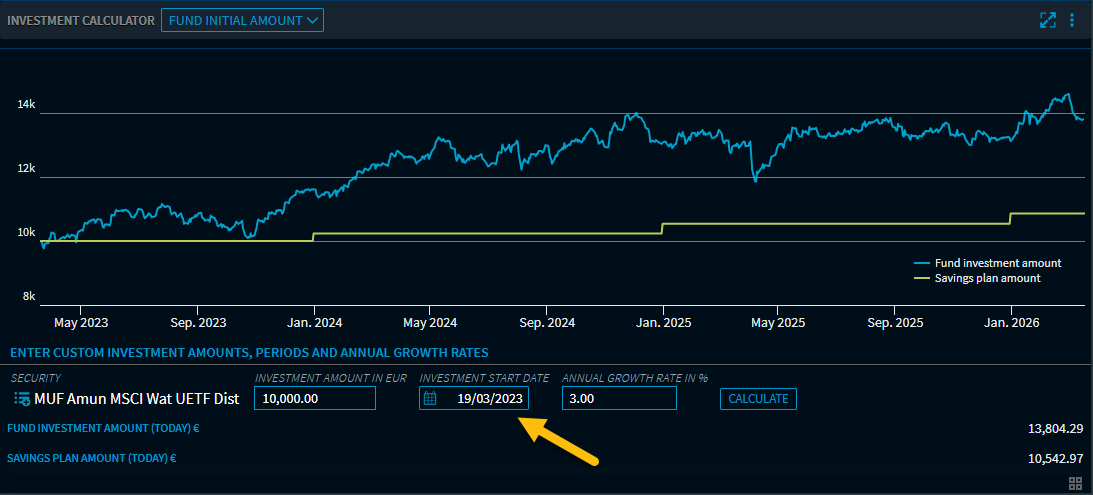
Investment Calculator: Investment start date updated (Improvement – IM-14850)
In the ‘Fund initial amount’ view, the default value for the investment start date has been changed to 3 years, partly in response to customer feedback.
FX Option Calculator: New parameter (Improvement – IM-14804)
Two additional parameters have been added to the “FX Option Calculator” widget:
-
Display in
Use the drop-down list to select the desired price type (“Pips”, “Premium” with associated volume, or “%”). -
Price currency
Use the options here to select the desired currency between USD and EUR.
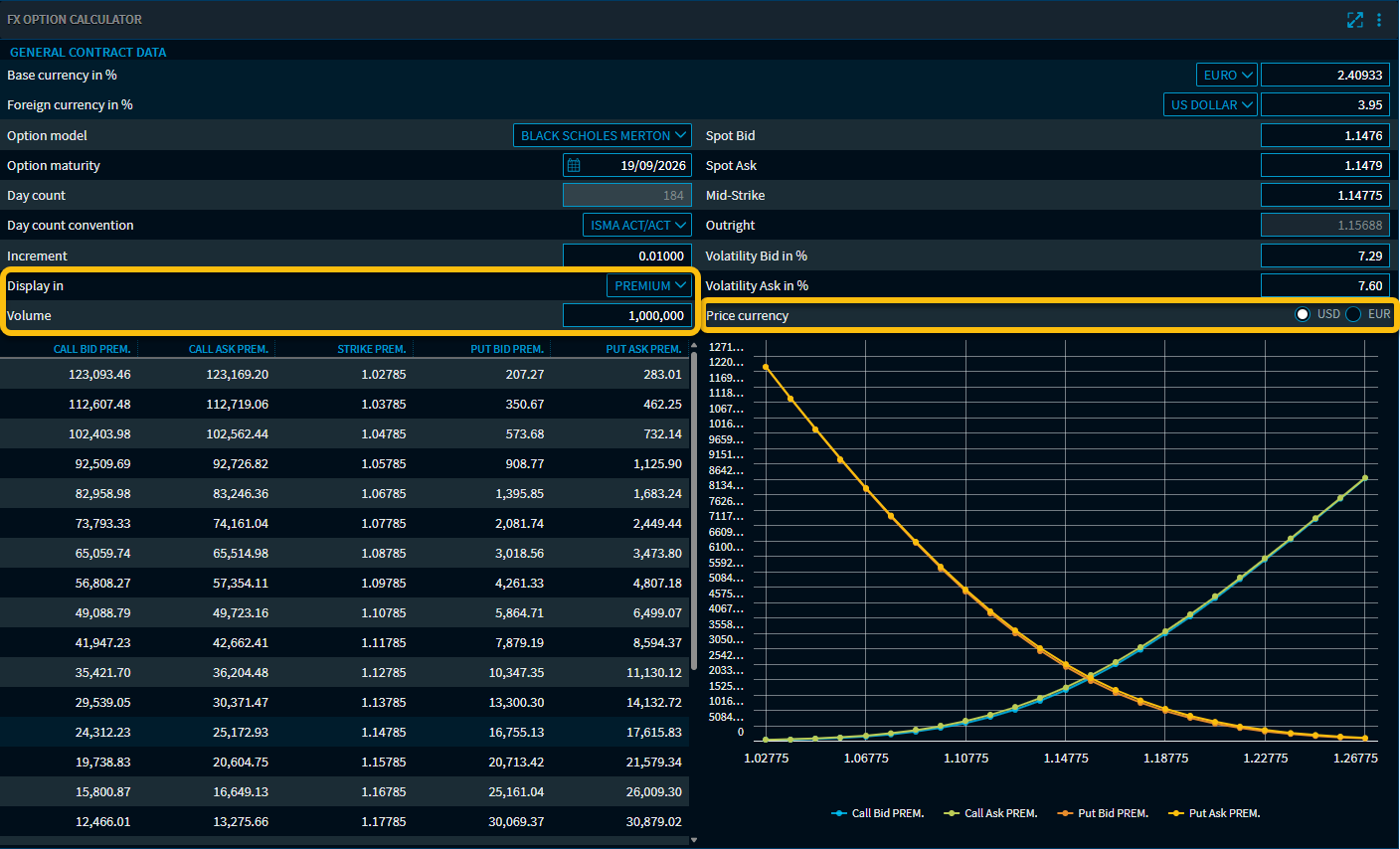
Information about the different price types, which you can select via the “Display in” drop-down menu:
Pips
Selecting this option switches the display from a percentage (or “Premium”) to “Pips”. A pip (Percentage in Point) is the smallest standardised price change in forex trading and is used to measure price movements and the value of options or currency pairs. For example, a price change of 100 pips in an option corresponds to a movement of 0.01 in the quote currency.
Premium
Selecting this option switches the display from a percentage (or ‘Pips’) to “Premium”. A new “Volume” input field will now appear, into which you can enter the number of units for the relevant currency for which a premium is to be calculated.
"%"
Selecting this option switches the display from “Pips” (or “Premium”) to a percentage. The calculated option price in pips is multiplied by the strike price.
Certificate Data: Support for ETC and ETN (Improvement – IM-12556)
The “Certificate Data” widget now also accepts ETC and ETN as instrument types.
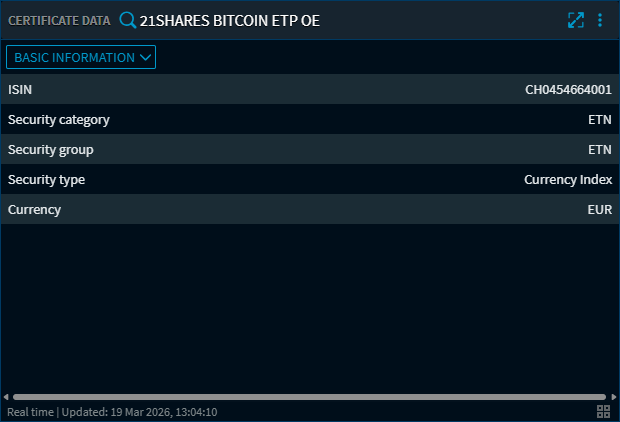
Examples:
ETN: A2T64E, A3GPSP
ETC: A0S9GB
Please note that, for the time being, only a limited number of data fields can be displayed for these instruments.