
Share Comparison: New widget (New – IM-14681)
An optimised comparison widget is now also available for the “Shares” asset class. Its layout and functionality are similar to those of the familiar “Fund Comparison” widget, for example.
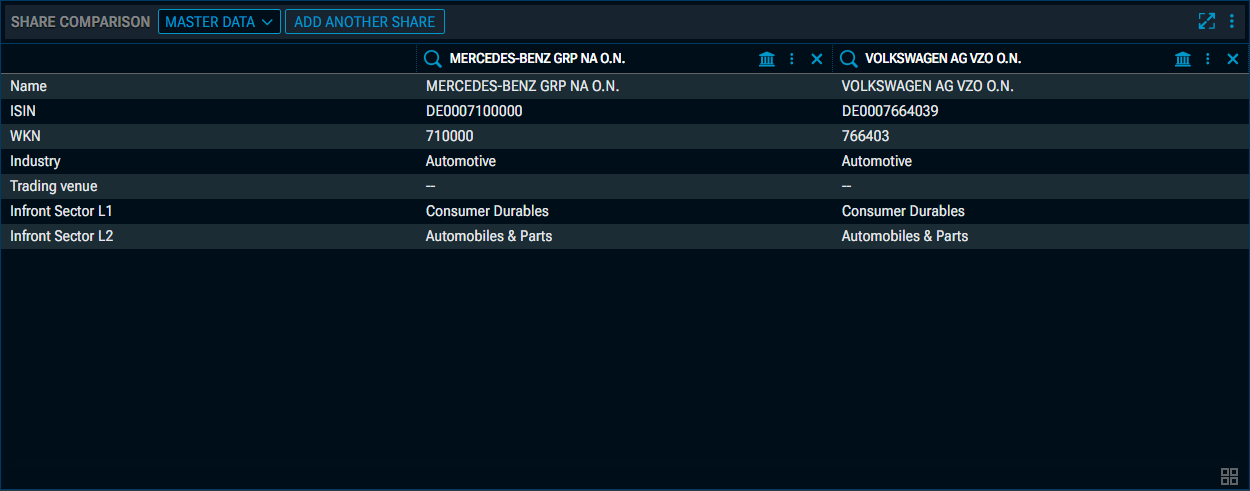
First, use the two drop-down lists (or drag and drop from other widgets) to select the first two shares you wish to compare. Clicking on the selection buttons will bring up the security search.
-
You can use the “Add another share” button to display up to 10 shares in total.
-
You can replace the selected shares using the selection lists; to remove a share, click the “Remove” icon to the right of the selection buttons.
-
In addition to the share selection lists, you can use the relevant trading venue selection list for each share to choose the desired trading venue and currency for the share comparison.
-
For each share in the widget, the usual menu is available in the header, allowing you to quickly open the share in another widget or print it.
The “Share Comparison” widget also supports widget grouping. In this case, the share in the first column of the widget is always taken into account.
Share Comparison – "Master data" view
In the “Master Data” view, you can compare the shares according to the following criteria:
-
Name
-
ISIN
-
WKN
-
Industry
-
Trading venue
-
Infront sector L1
-
Infront sector L2
Share Comparison – "Chart" view
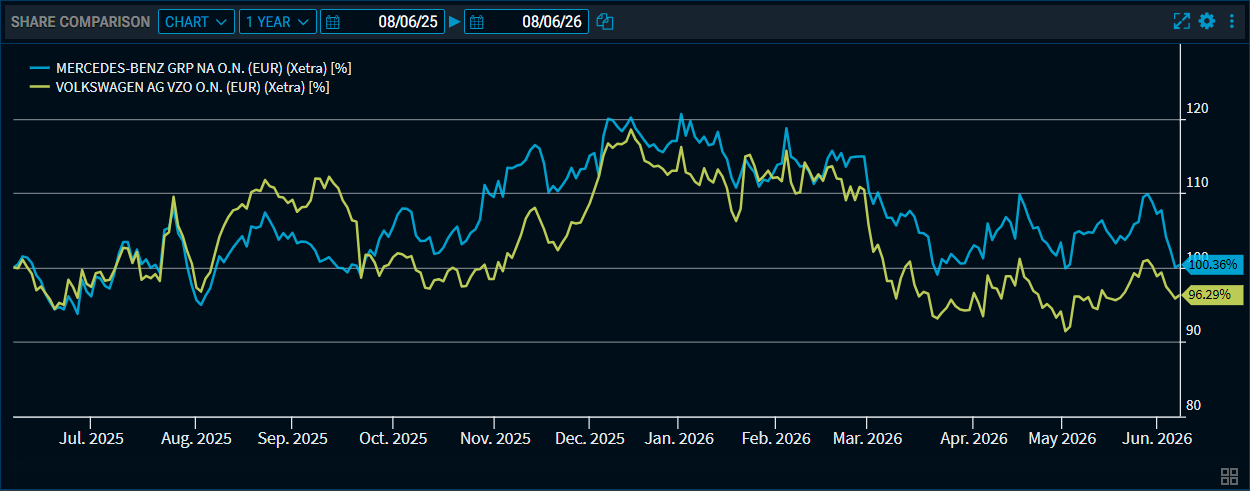
Select the “Chart” view from the drop-down list at the top, and the selected shares will be displayed as time series on a chart:
Share Comparison – "Performance" view
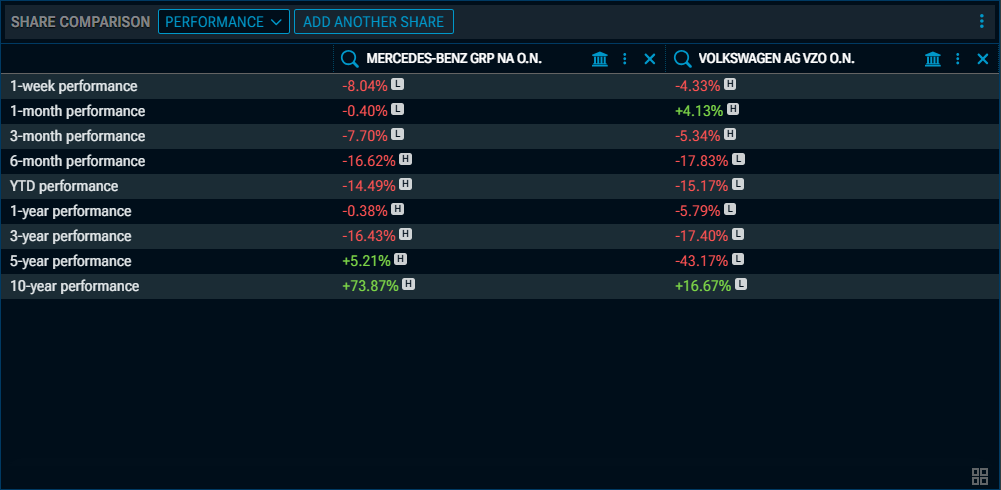
Select the “Performance” view from the drop-down list at the top, and the selected shares are compared on the basis of performance indicators.
Share Comparison – "Recommendation history" view
Select the “Recommendation history” view from the drop-down list at the top, and a graph showing the history of recommendations for the selected shares will be displayed:
Share Comparison – "Recommendation" view
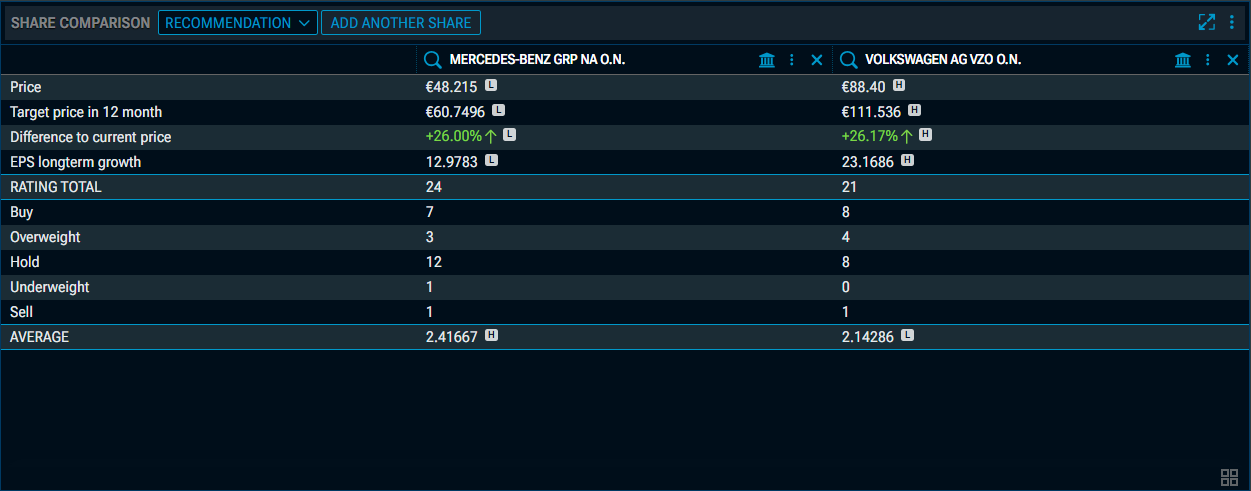
Select the “Recommendation” view from the drop-down list at the top, and the selected shares will be compared in terms of recommendations:
Exchange Calendar: New filter (Improvement – IM-15049)
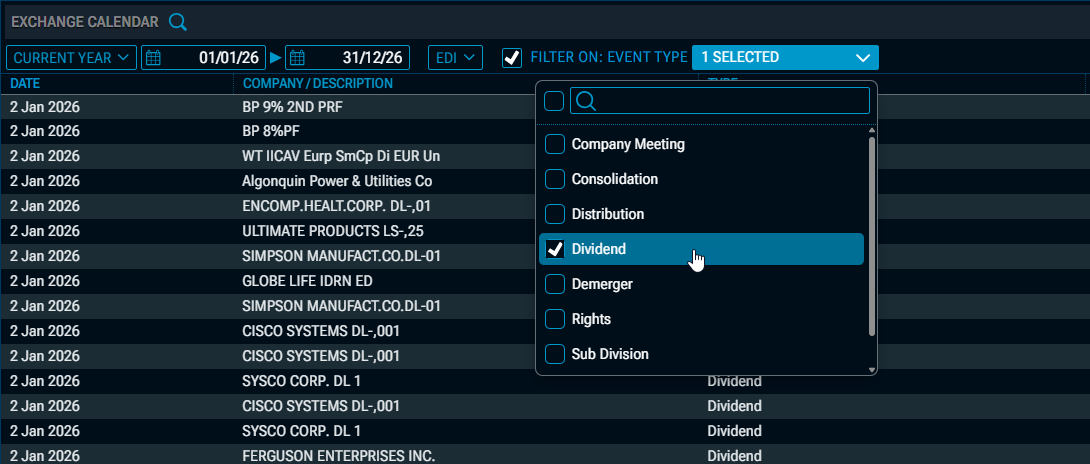
A filter has been added to the drop-down list of calendar categories in the “Exchange Calendar” widget. Select the desired categories from the drop-down list and tick the “Filter on:” checkbox to filter the display.
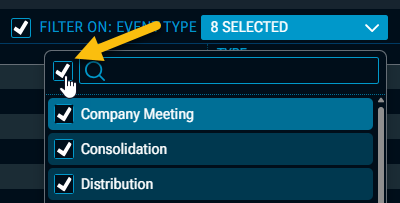
Use the first checkbox in the drop-down list next to the input field to select all entries.
Date selection optimised in various widgets (Improvement – IM-15042)
In various widgets, the selection controls for configuring the time interval have been optimised, with visual indicators for start and end dates replacing redundant text descriptions.
Example: Date selection in the “Exchange Calendar” widget

Chart Analysis: Indicators in Intraday charts (Improvement – IM-14943)
In intraday charts, overlaid indicators (e.g. moving averages) are now always displayed from the start of the visible time period; the display and calculation have been adjusted accordingly.
Dashboards: Open in a new browser tab (Improvement – IM-15073)
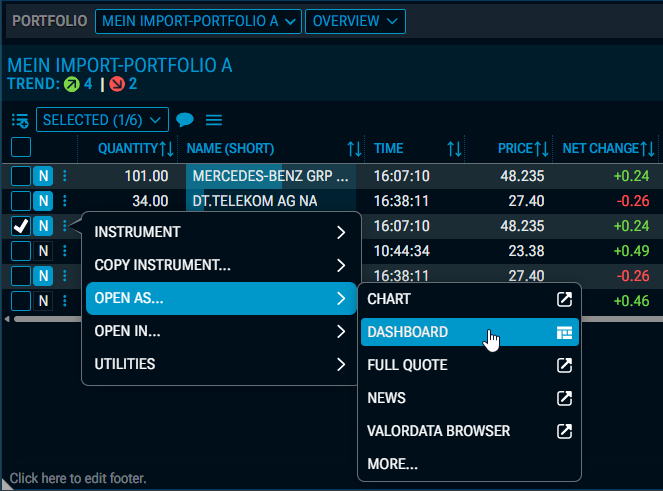
With the new version of Infront Investment Manager, you can now choose in price lists or portfolios whether to use the OPEN AS… command to open the dashboard in a new browser tab, rather than replacing the current dashboard.
To do this, hold down the <CTRL> key when selecting the command from the context menu, or use the right mouse button.
Index Members: Grouping in the "Heatmap" view (Improvement – IM-15110)
The new “Heatmap” view in the “Index Members” widget now also supports widget grouping. If the widget is part of a group, clicking on a value in the heatmap (“rectangle”) will now apply that instrument to the linked group.
Index Members: New fields in the "Heatmap" view (Improvement – IM-15092)
Further fields have been added to the “Heatmap” view in the “Index Members” widget.
New field in the "Colour" drop-down list:
-
1-day performance
New fields in the “Box size” and “Order” drop-down lists:
-
Average volume 1 week
-
Average volume 1 month
-
Average volume 3 months
-
Average volume 6 months
-
Average volume 1 year
-
Average volume 3 years
-
Average volume 5 years
-
Average volume 10 years
Watchlist: Export to DM Snapshot (Improvement – IM-14996)
In the widget menu for watchlists, you will now also find the new sub-command “DM SNAPSHOT” under the EXPORT command.
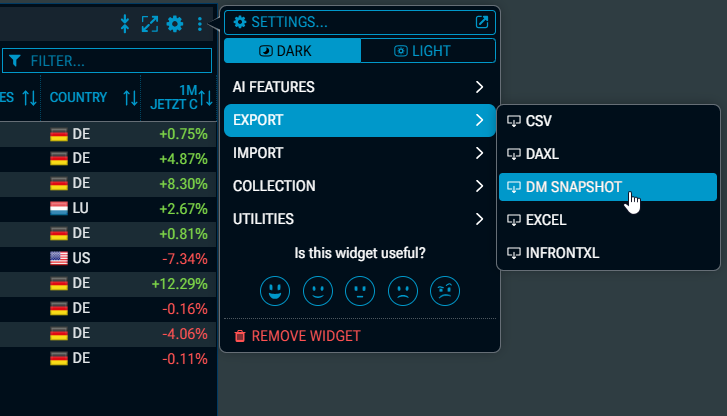
Take advantage of the improved integration between Infront products, which represents an important first step towards simplifying the management of your feed settings via Infront Investment Manager.
Column configuration: Show countries as flags (Improvement – IM-14964)
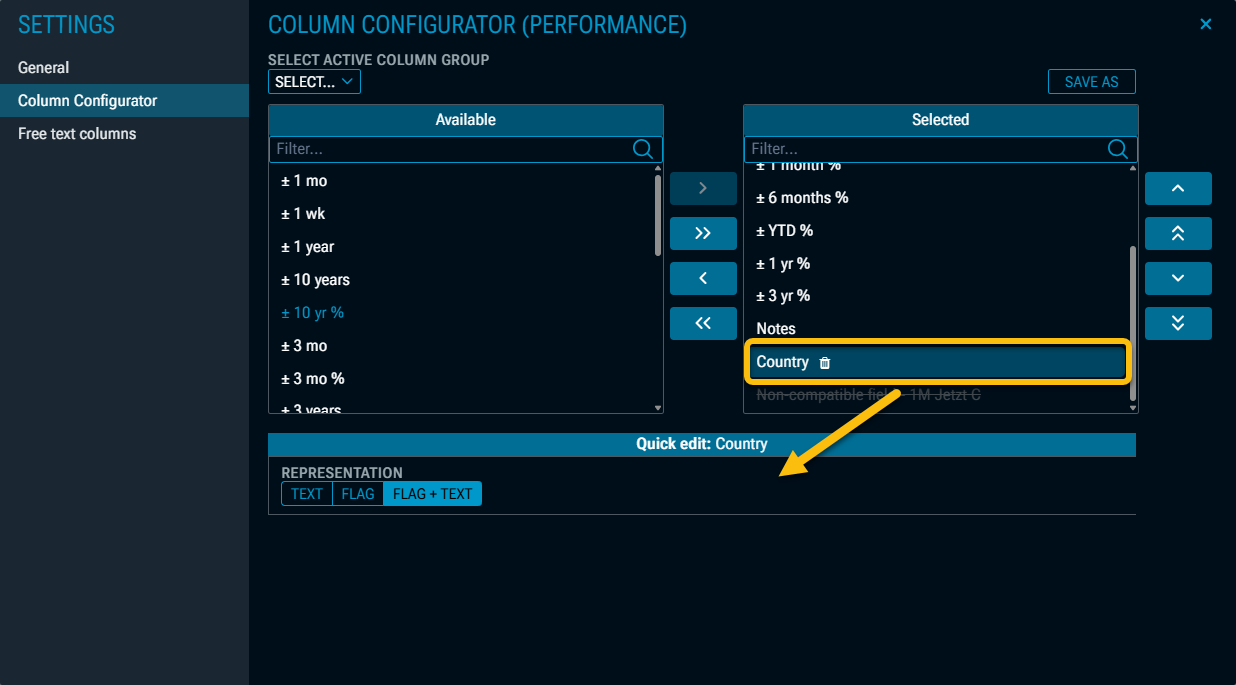
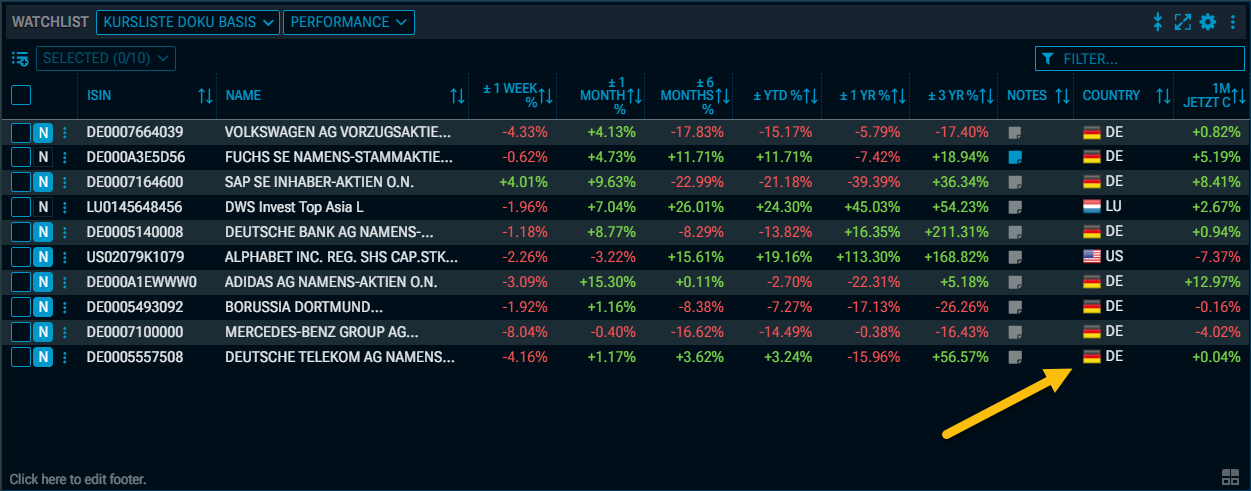
In the column configurator for the relevant widgets, you can now choose to display the column for the “Country” field (field ID “47”) as text, a flag, or both. You can configure this as usual in the settings.
Example: Flag and text
Comparison widgets: High-low view added (Improvement – IM-15118)
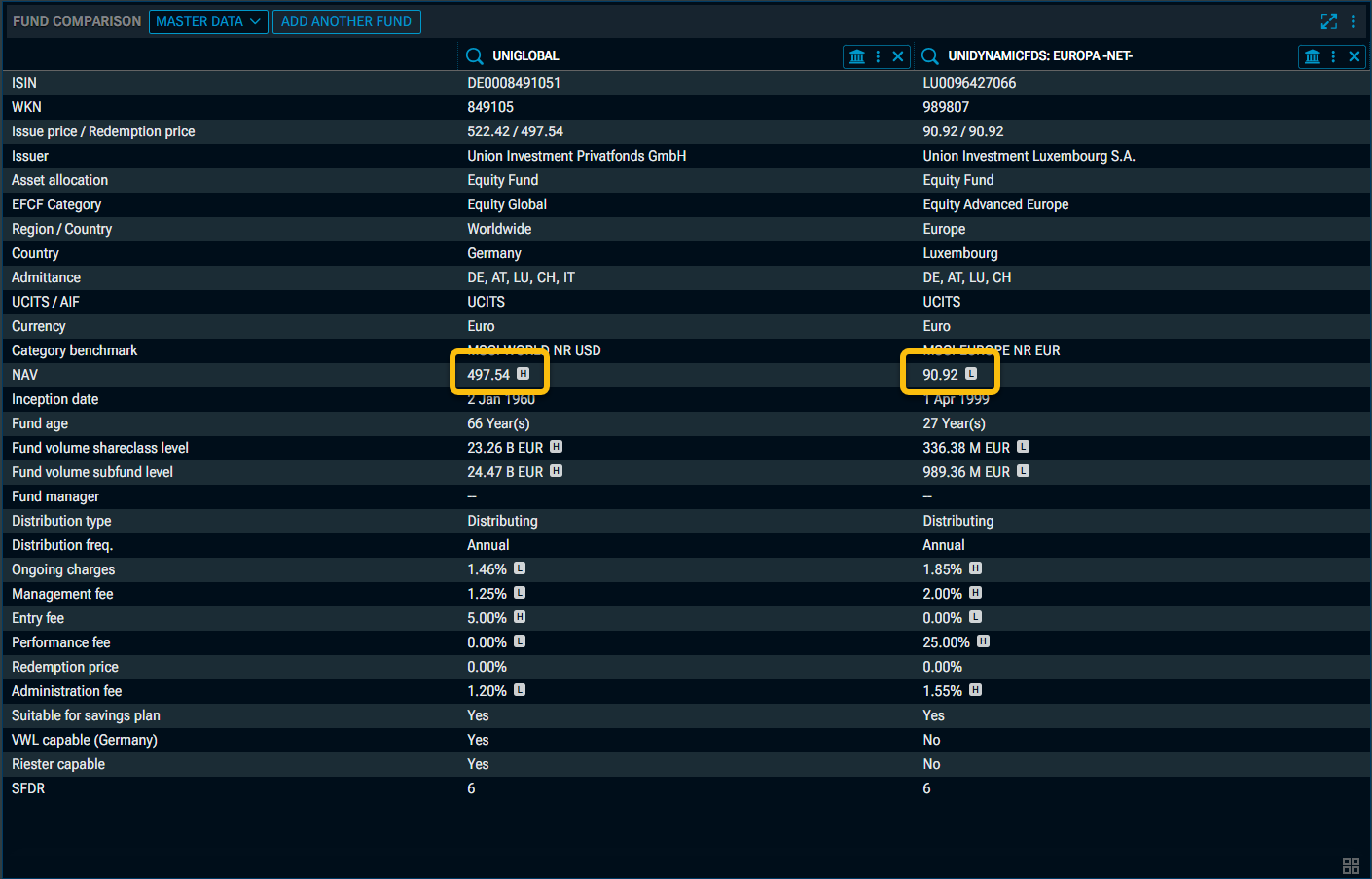
In the various comparison widgets (bonds, certificates, funds and also in the new “Share Comparison” widget), you will now find a high-low display for each individual security. This analysis is always carried out at row level, so you can easily identify the instrument with the highest and lowest value for that data point.
Example: “Fund Comparison” widget
Assetmax Portfolio: (Improvement – IM-14963)
In the “Assetmax Portfolio” widget, a selection of sources for historical data has been added to the chart gallery. The following options are available:
-
Only AMX
-
Only IM
Screener: "GICS sector" filter in Share Screener (Improvement – IM-15087)
In the Share Screener, you will now also find the “GICS sector” filter in the “General” filter section, which allows you to use the 11 top-level “Level 1” sectors as filters.
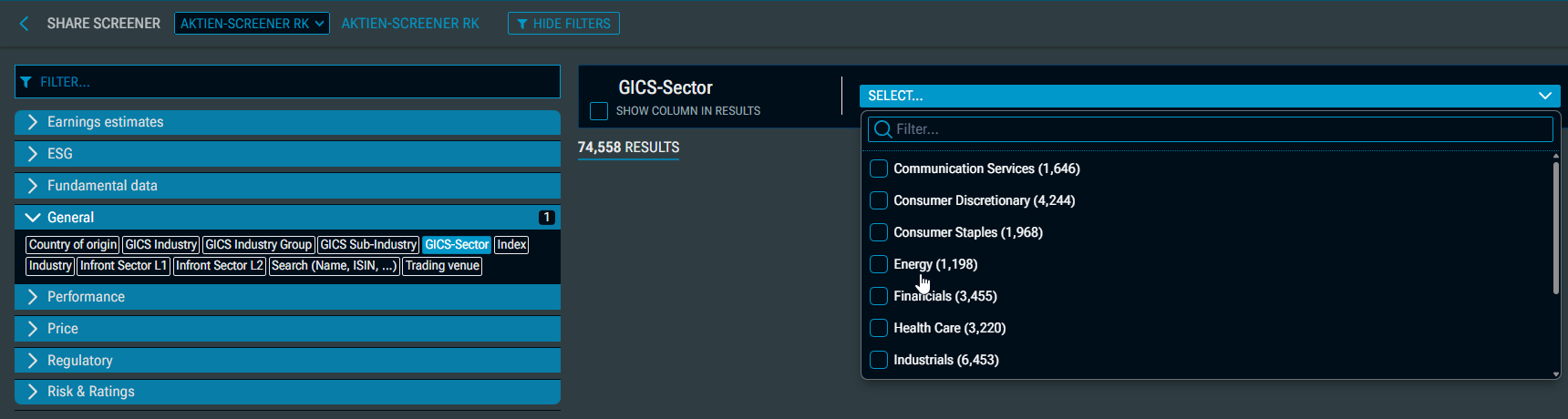
The GICS sectors in detail:
-
Communication services
-
Consumer discretionary
-
Consumer staples
-
Energy
-
Financials
-
Health Care
-
Industrials
-
Information technology
-
Materials
-
Real estate
-
Utilities
The “GICS sector” field has also been added to the “All Fields” widget.
Screener: Issuing volume in Bond Screener (Improvement – IM-15001)
The “Issuing volume” field has been added to the results lists in the Bond Screener.