
You have the option of combining several widgets into a "widget collection". The widgets summarised in this way can be accessed via tabs at the top of the widget.
Adding a widget to a widget collection
To add widgets to a widget collection:
-
In the menu icon of a widget, select the command COLLECTION, ADD WIDGET.
In existing widget collections, you will alternatively find the "Add widget" icon at the top right of the widget.
-
Then select the desired widgets from the widget selection that appears.
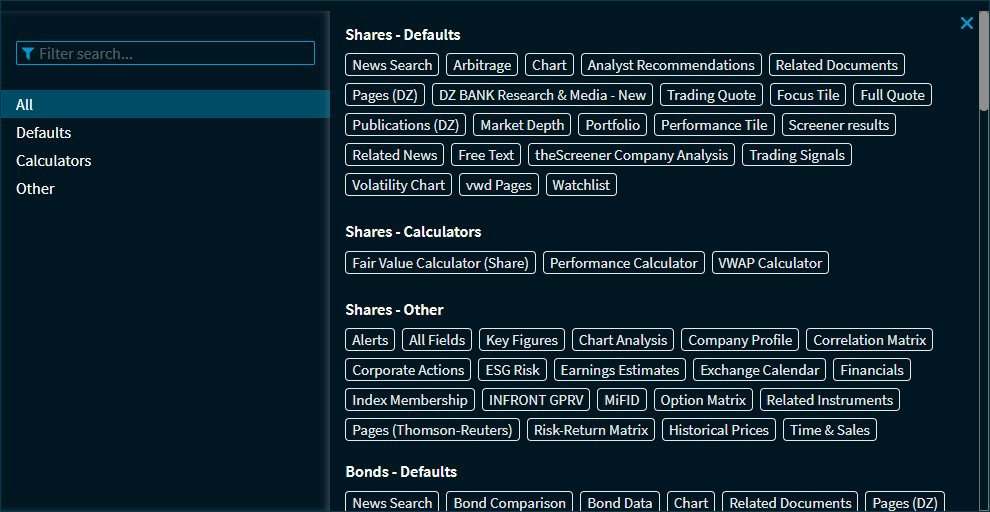
You can now switch back and forth between the contents with a click of the mouse.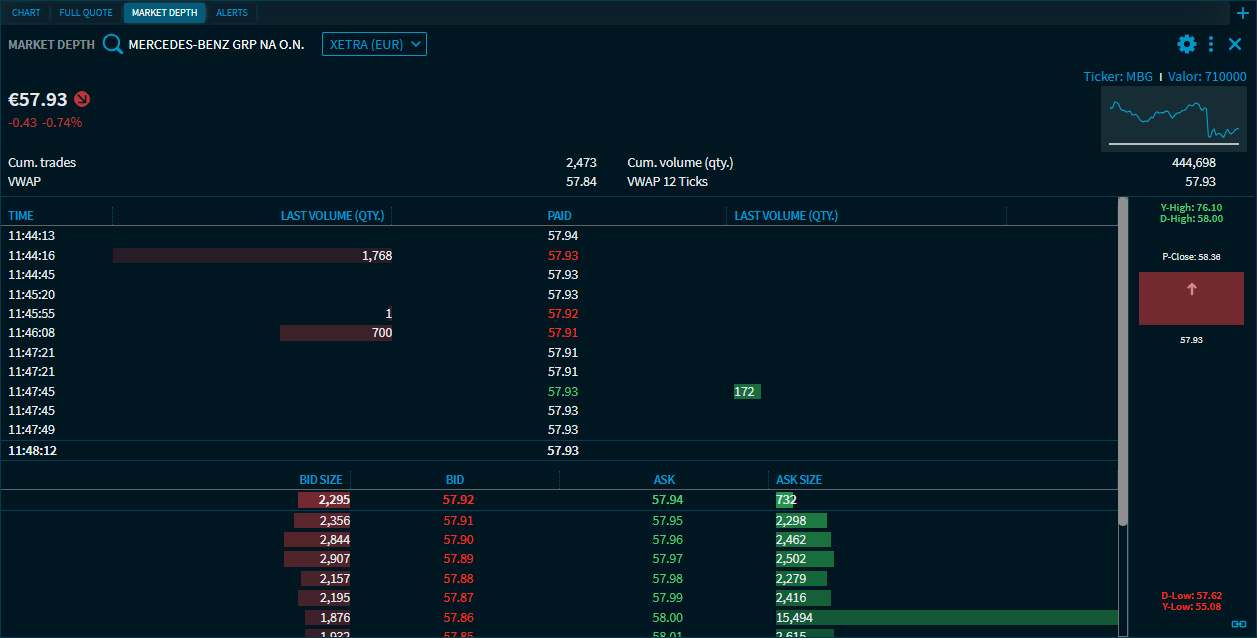
You can quickly change the order of the tabs in a widget collection using drag & drop.
Rename tabs of a widget collection
You can rename the tab names of a widget collection. To do this, follow these steps:
-
In the menu icon of a widget, select the command COLLECTION, RENAME WIDGET.
-
Enter the desired new name in the "Rename widget" dialogue box that appears.
-
Then select the "Save" button.
The tab is renamed.
Remove widget from a widget collection
To remove widgets to a widget collection:
-
Select the remove icon at the top right of the widget.
-
Confirm the query with REMOVE.
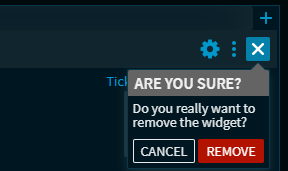
The widget is removed from the widget collection.