
In Infront Investment Manager, the administrator can define an individual print layout.
To do this, follow these steps:
-

This opens the "Settings & Profile" dialogue window. -
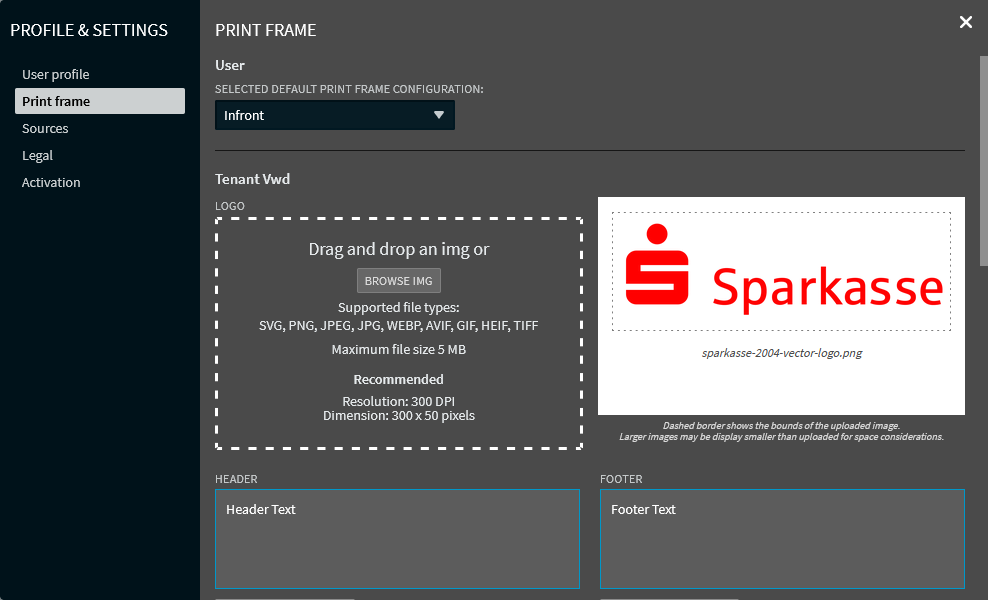
Switch to the "Print frame" area on the left-hand side.
-
Select a logo, if needed. You can also delete this logo.
-
Enter the text for the header in the "Header" input field.
-
Enter the text for the footer in the "Footer" input field.
-
Close the dialogue window after the configuration was completed.
Note that the print settings are supported by all modern browsers except by "Internet Explorer".