

Select this icon at the top of the "News" widget to open the following widget menu:
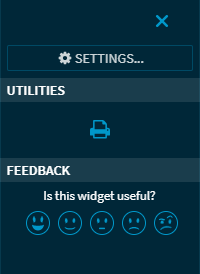
You will find the following functions here:
|
Element |
Description |
|---|---|
|
Command SETTINGS |
Select this command to open the "Settings" dialog window for configuring the widget . |
|
“Print" icon |
Select this icon in the "Utilities" area to print the widget. |
|
Feedback |
Here you have the opportunity to give feedback on the widget. |
