
You can use the Compass to manage a specific selection of securities (e.g. the "focus list" or "recommendation list" for a bank's advisors).

In the Infront Investment Manager, you open the Compass via the COMPASS command in the main menu, which you open via the menu icon.
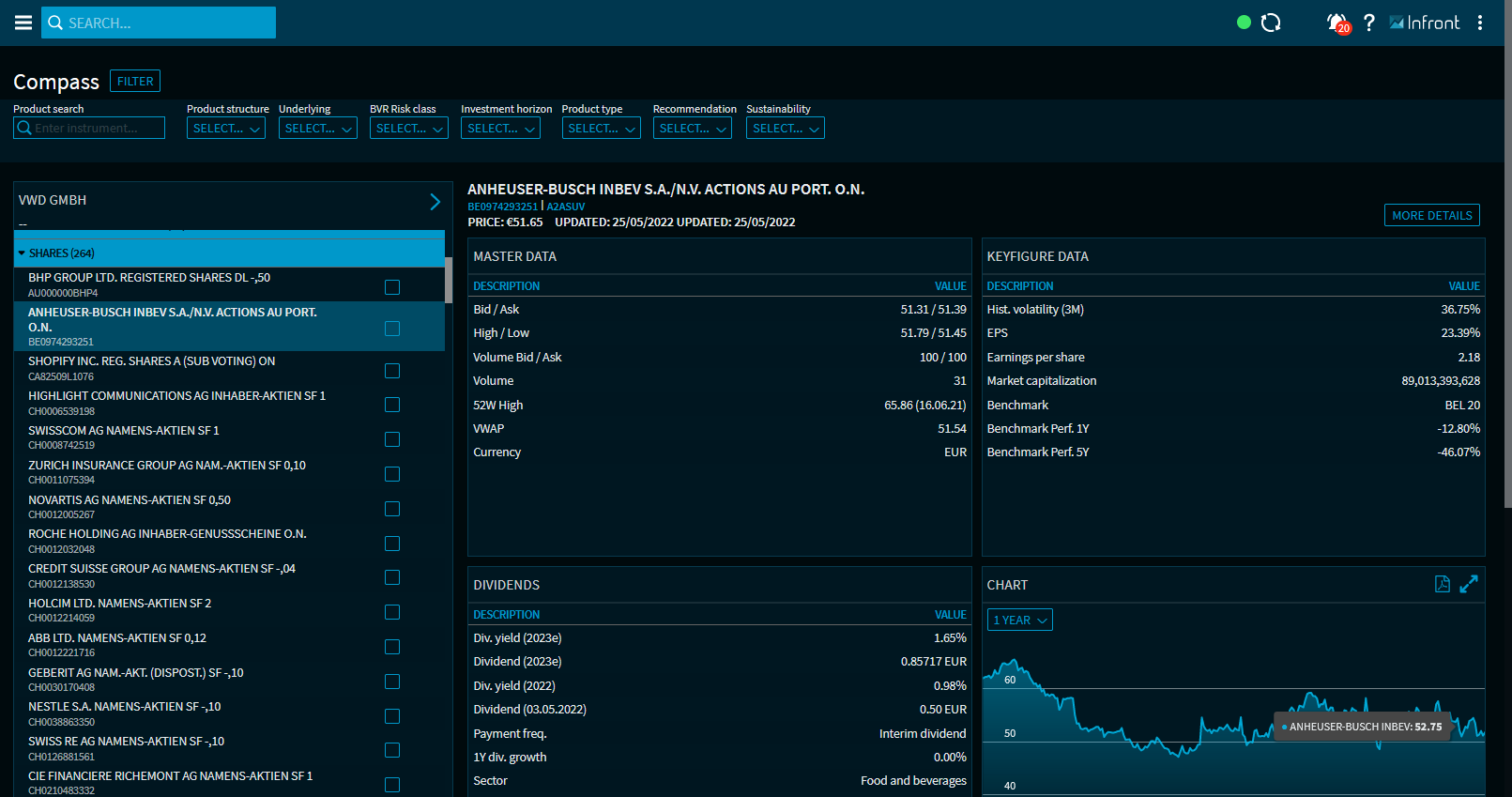
On the left-hand side you will see your list of recommendations, which you can filter and expand and collapse. To the right, in the evaluation area, you will find the widgets for analyzing the security selected in Recommendation list.
At the top of the evaluation area you will find the most important price and master data (name, WKN, ISIN) of the selected security.
The update icon and the"More details" button are located on the top right-hand side.
The securities and security types described in this documentation represent an exemplary standard selection and can of course be individually defined and adapted at any time.