
Use the search field in the upper part of the widget gallery to search for a particular widget.
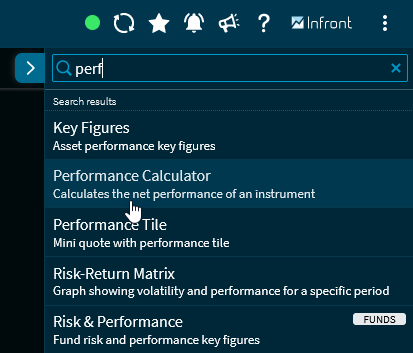
Click a search result to open the widget in the dashboard.
Click the "(x)" icon to clear the search field and enter a new search term.
Various widgets can also be found using related keywords. For example, you can enter the term "PDF" for the "Related Documents" widget.