
You can copy dashboards. For example, you can copy predefined standard dashboards to quickly create and modify your own private dashboards.
To copy dashboards:
-
Open the dashboard from Dashboard Explorer .
-
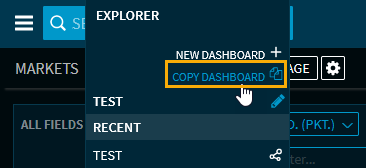
Select "Copy dashboard" from the Dashboard Explorer.
-
In the "Create dashboard" dialogue window that appears, enter the name for the new dashboard in the "Name" field.
-
To use the dashboard as a template, select the "As template" checkbox.
-
Then click the "Create" button.
The new (private) dashboard opens. You can configure it as usual.