
Search and filter functions are available in the upper area on the left-hand side of the Compass, which allow you to narrow down the values in the recommendation list. Use the "Filter" button to show and hide the filter area.
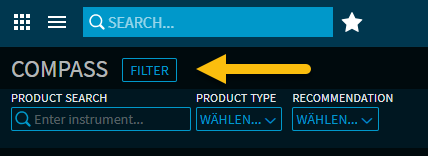
Product search
The product search is located on the left in the expanded filter area. Enter the desired search terms and the recommendation list will be filtered according to the matching instruments.
Possible search criteria:
-
Security name
-
WKN
-
ISIN
The live search starts as soon as you enter the third character.
More filter options
To the right of the product search, you will find the following filter options via the selection lists:
-
Product structure, e.g. "Combi" or "Express"
-
Underlying, e.g. "Index/basket"
-
BVR risk class, e.g. "Conservative" or "Risk-tolerant"
-
Investment horizon, e.g. "Up to 5 years"
-
Recommendation ("Hold", "Buy", "Sell")
-
Product type, e.g. "Classic bonds" or "Protect reverse convertibles"
-
Sustainability, e.g. "ethical investment" or "green investment"
The number of relevant products ("hits") is displayed in brackets in the filters.
If at least one filter is active, this is displayed on the button (e.g. "1 filter on" or "2 filters on" etc.).
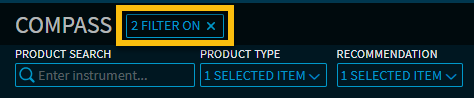
All currently set filters can be reset using the close cross on the right-hand edge of the filter button.